
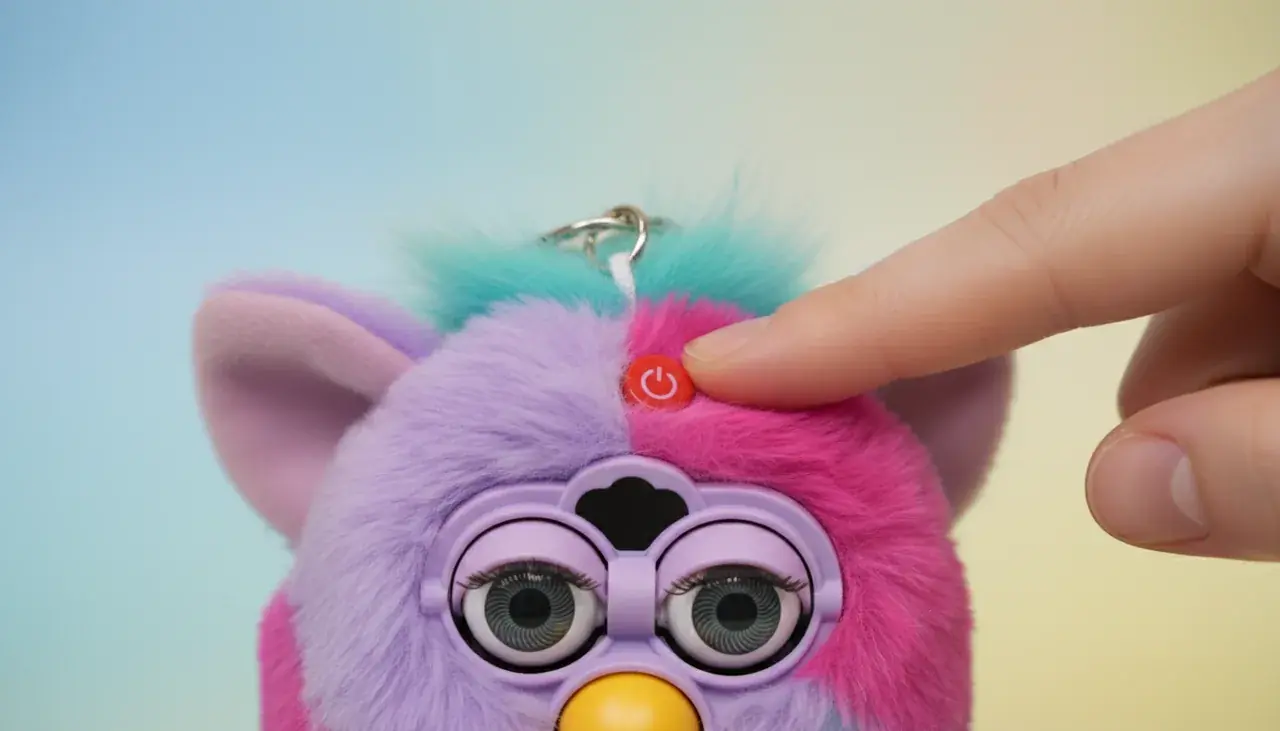
Easy Way to Turn Off Furby Keychain | Furby Toy Shop
Your adorable Furby keychain brings joy wherever you go, but there are times you need quiet. Learning how to turn off furby keychain correctly saves battery and keeps your companion ready when you want to play.
This little toy deserves proper care — in the short guide below you’ll find quick off steps, essential battery care tips, and smart storage advice so you can protect functionality and extend usable life.
We’ll show simple, model-friendly steps to power down your Furby keychain safely and offer troubleshooting guidance for common issues. With a few easy habits, you’ll reduce battery replacements and enjoy your Furby longer.
Why You Need to Turn Off Your Furby Keychain
Conserving battery life matters for any electronic toy. Your Furby keychain draws power even when idle, so leaving it on during extended storage or travel shortens battery life and increases how often you'll need replacements.
Turning furby off prevents embarrassing or disruptive activations in bags or pockets. Random sounds and responses waste power and can interrupt quiet places—so a quick shutdown helps you avoid awkward moments and reduces unnecessary wear on internal components.
With simple power management you can reduce battery changes and help the toy's electronics last longer. Smart habits like powering down between uses mean your companion is ready when you want to interact, not draining power in the background.
Pro Tip: Regularly powering your Furby or using sleep mode can significantly extend battery life. If you need a precise estimate for your model, check the manufacturer specs—results vary by battery type and usage.
Battery Life Concerns
Keychain toys use compact button cells that have limited capacity. Continuous use can drain these batteries in days rather than weeks, so planning play and rest periods helps maximize life.
Many Furby keychains use LR44/AG13-style button cells; confirm your model's battery type before buying replacements. Choosing quality batteries and following proper installation and care reduces the chance of leaks and battery-related damage.
Using sleep mode when you're not actively playing conserves power: the toy drops into a low-power state between interactions and wakes with a touch or shake. When supported by your model, sleep mode is a great way to conserve battery without fully powering off.
Preventing Unwanted Activation
Motion sensors and sensitive interaction patterns can trigger responses during transport. That unexpected chattering not only wastes batteries but can be awkward in quiet settings.
Turning furby off completely disables sensors and stops all activity until you power it back on—ideal for travel, storage, or events where silence is required.
If you’re heading to a meeting or a performance, a quick micro-tip: power off or remove batteries before you leave. This small step prevents accidental wake-ups and conserves batteries for when you want to enjoy your Furby.
Discover Premium Furby Keychains
Explore our collection of authentic Furby keychains with long-lasting batteries and magical interactive capabilities. Each companion comes with detailed care instructions.
Step-by-Step Guide to Turn Off Furby Keychain
The process takes just seconds once you know where to look. Most Furby keychain models share similar power mechanisms—follow these concise steps to turn furby off quickly and safely.
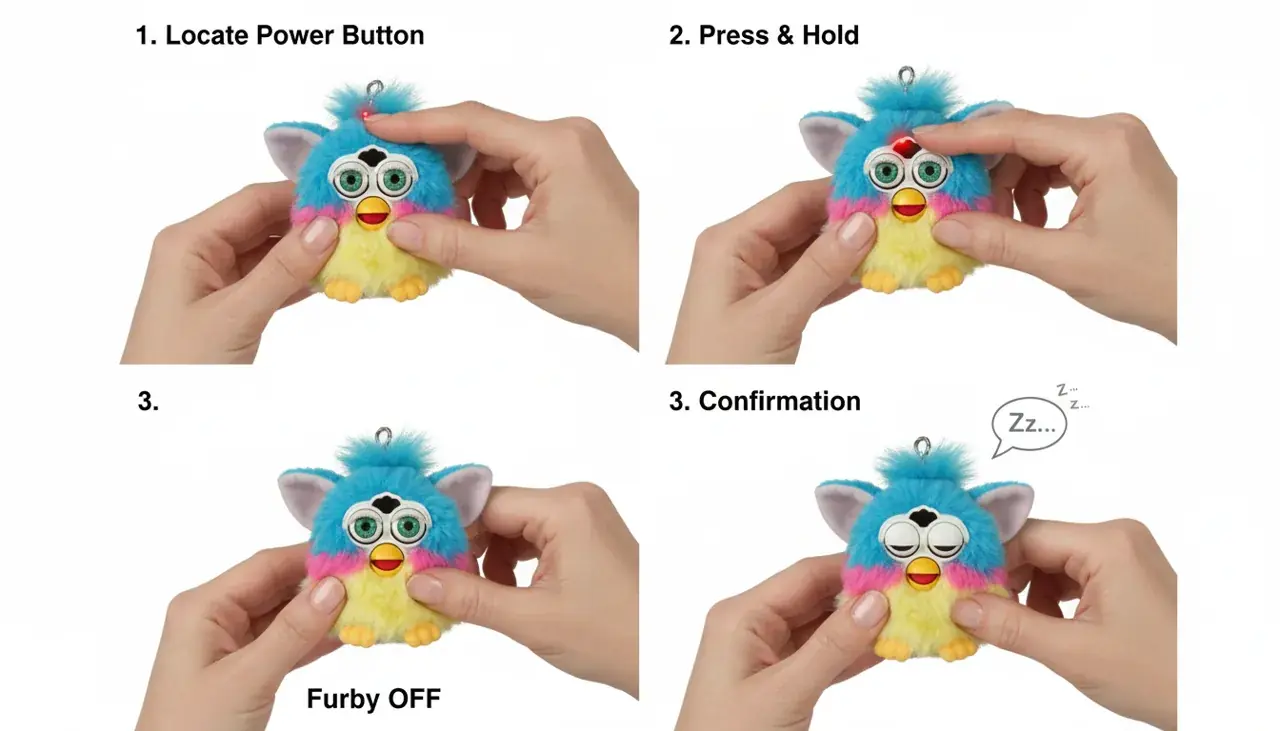
Locate the Power Button
On most models the power switch sits on the back near the battery compartment. Look for a small sliding switch or a recessed push-button; some versions hide the control under a rubber flap for protection.
If you don't see it right away, check the bottom edge and around the battery cover—manufacturers place controls in slightly different positions across versions. The control is small, so inspect carefully rather than forcing anything.
If you have the manual, confirm the exact position for your model. No manual? Visit the Furby Toy Shop support pages for model diagrams or gently explore the exterior to find the switch.
Press or Slide the Switch
Use gentle pressure when operating the control. For slide switches, move from "ON" to "OFF" until you feel a soft click. For push-button models, hold the button for about 2–3 seconds (some models may require up to 5 seconds) until you notice shutdown confirmation.
You'll usually feel slight resistance—this prevents accidental changes. If the control is stiff, avoid forcing it; cleaning or professional servicing may be needed to prevent damage to internal components.
Many models give a brief confirmation (a soft sound or light) before going quiet. If there’s no confirmation, proceed to the Verify step below.
Slide Switch Method
- Move switch from "ON" to "OFF" position
- Feel for the clicking sensation
- Verify switch stays in place
- No pressure needed after switching
Button Press Method
- Hold button for 2–3 seconds (up to 5s on some models)
- Wait for shutdown confirmation (sound/LED)
- Release after power indicator stops
- Check for complete silence
Verify Complete Shutdown
After switching off, gently shake the keychain—no sounds or lights should occur. Press any interaction button; a properly turned-off Furby won't respond at all. This confirms a full power-off rather than sleep mode.
If you still hear activity or the toy restarts, check the battery compartment for loose cells or contact issues (see battery-care tips). Removing and reinserting batteries while the switch is in "OFF" can help diagnose loose connections.
For a final check, place the toy in a quiet spot for 30 seconds and listen carefully. Complete silence indicates successful shutdown and that the Furby's sensors are disabled.
Important: Some Furby keychains include a sleep mode distinct from full power-off. Sleep mode conserves battery while allowing quick wake-up—full shutdown requires the dedicated power switch.
Alternative Power-Saving Methods
Not every situation needs a full shutdown. Use these intermediate options to conserve battery life while keeping quick access to your Furby when you want to play.

Using Sleep Mode
Sleep mode (when supported) automatically reduces power after a few minutes of inactivity so the toy stays handy without draining batteries. This is a convenient middle ground between full power and complete shutdown.
During sleep mode the Furby draws only tiny amounts of current; sensors run at lower sensitivity and a gentle touch or shake wakes the toy. Using sleep mode regularly conserves batteries compared with keeping the toy fully on.
On some models you can encourage sleep mode manually by avoiding interaction for 3–5 minutes (if your model supports this). Check your manual for exact behavior—timings vary by version.
Sleep Mode — Pros
- Quick wake-up for spontaneous play
- Reduces battery drain versus constant operation
- Convenient for daily carry
Sleep Mode — Cons
- Still uses a small amount of battery
- May trigger with motion during transport
- Behavior varies by model
Battery Removal Option
For extended storage or when you won’t use the toy for weeks, removing batteries is the most reliable way to conserve power—no batteries means no drain. This is ideal for long periods away from your Furby.
Locate the battery compartment on the underside (many designs use a small screw or sliding door). Use a tiny screwdriver if needed and remove the cells carefully to avoid damaging contacts.
Store removed batteries in their original packaging or in a small anti-static bag in a cool, dry place away from direct sunlight. Label them with date and model so you can reinstall the correct cells later.
Caution: Removing batteries may reset personalized settings on some Furby models—check your manual before doing this if you’ve customized responses.
Battery Removal — Pros
- Absolute power conservation
- Prevents leakage damage during long storage
- Best for collectors or seasonal storage
Battery Removal — Cons
- Requires screwdrivers or tools for some models
- May reset saved settings
- Needs careful storage of batteries
When reinstalling, follow correct orientation and press batteries flat against contacts—see the battery-care section for full installation tips and to learn about removing reinserting batteries safely.
Strategic Interaction Timing
How you interact affects battery use. Short, frequent taps force more wake-sleep cycles and use more power than slightly longer play sessions. Plan play in 10–15 minute blocks when possible to reduce startup energy expenditure.
Turn furby completely off between these planned sessions for the best overall battery conservation. Combining strategic use with sleep mode and occasional battery removal gives you flexible ways to conserve battery life depending on how you use your Furby.
Troubleshooting Common Power-Off Issues
Sometimes your Furby keychain won't turn off as expected. These troubleshooting tips cover the most common issues and quick fixes to protect your companion and avoid unnecessary repairs.
Stuck Power Switch Problems
Debris like lint or pocket dust can jam the power switch and prevent normal movement. A gently cleaned switch often restores proper function without disassembly.
Quick fixes:
- Use a soft toothbrush or compressed air to remove visible particles around the switch.
- Apply a gentle back-and-forth motion while sliding the switch to dislodge stubborn debris—do not force it.
- If residue remains, a cotton swab lightly dampened with isopropyl alcohol can remove sticky buildup; allow the area to dry completely before powering on.
Warning: avoid harsh chemicals and excessive liquid—these can damage internal components.
Unresponsive Power Button
Button-style switches sometimes fail to register presses. Try holding the button slightly longer (2–5 seconds depending on model) and check for any confirmation cues.
Quick checks:
- Check battery level first—low batteries can prevent proper shutdown sequences.
- Try holding the button for up to 5 seconds if the usual 2–3 seconds does not work.
- Remove and reinsert batteries while the switch is set to "OFF" to test for loose contacts.
Why does my Furby restart after I turn it off?
That often indicates loose battery connections. Open the battery compartment and ensure batteries sit firmly against contacts. Gently bending contact springs inward can improve contact security if they are loose.
My power switch moves but nothing happens. What should I do?
The internal switch mechanism may have detached. As a diagnostic step, remove and reinsert batteries while the switch is in "OFF." If that doesn't help, stop further DIY attempts and seek professional repair to avoid damage to internal components.
Battery Contact Issues
Corroded or dirty battery terminals disrupt power flow and can cause power-on or power-off problems. Regular inspection prevents these issues from worsening.
Cleaning tips:
- Remove batteries and look for white or green deposits indicating corrosion.
- Gently rub contacts with a pencil eraser or a dry microfiber cloth to remove light oxidation—use minimal pressure.
- For sticky residues, use a cotton swab lightly dampened with isopropyl alcohol, then dry thoroughly before reinstalling batteries.
Severe corrosion or physical damage requires professional attention—don’t attempt soldering or invasive repairs yourself.
Need Expert Assistance?
Our Furby specialists can help diagnose tricky power problems and perform safe repairs. If troubleshooting steps above don’t resolve the issue, contact us for professional support.
Essential Battery Care and Maintenance
Proper battery management can noticeably extend your Furby keychain's usable life. Small, consistent care steps prevent common issues and keep your companion responsive when you want to play.
Choosing the Right Batteries
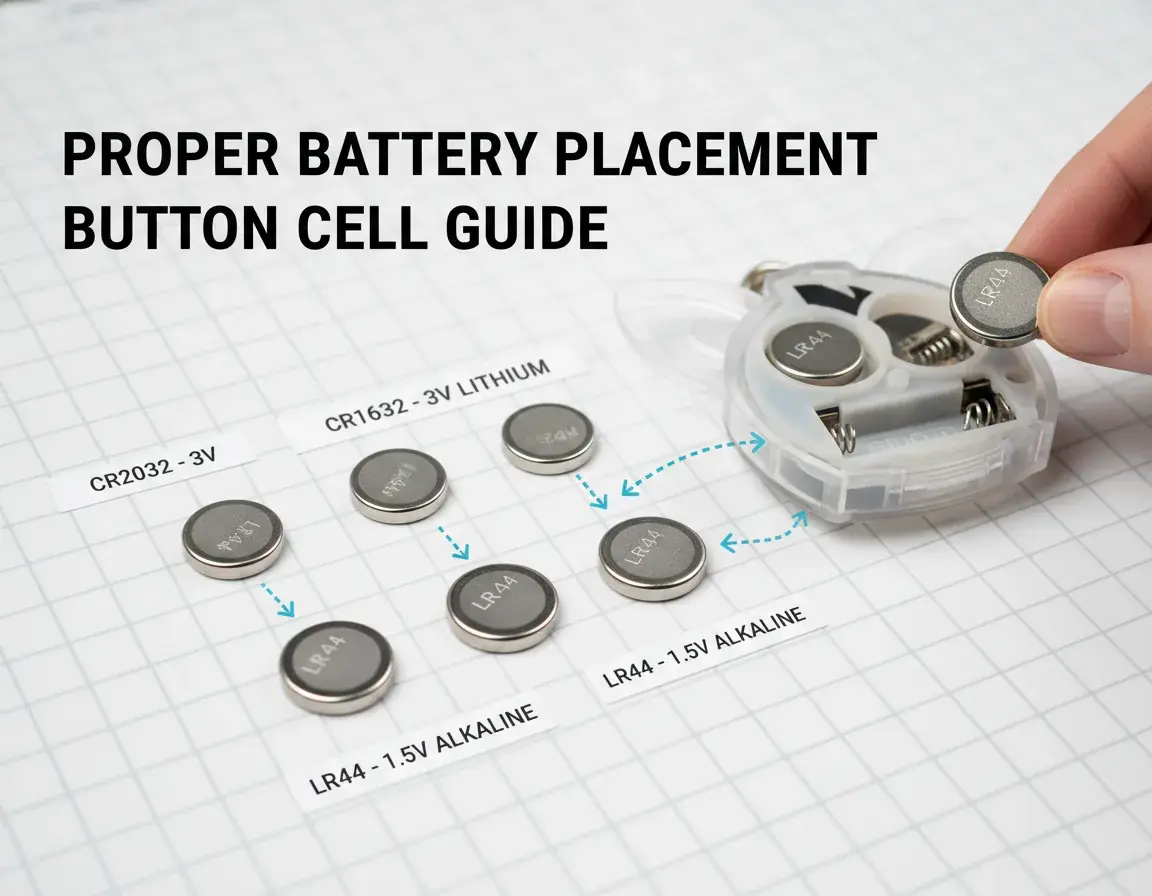
Quality batteries make a big difference in performance and longevity. Cheap cells are more likely to leak or drop voltage quickly; invest in reputable brands for the best results.
Many Furby keychains use LR44 or AG13 button cells—confirm your model's requirement before buying replacements. Using the wrong size or chemistry can harm internal components or reduce functionality.
Alkaline button cells generally offer steadier voltage over their life compared with the cheapest zinc variants. Buy fresh packs with distant expiration dates and store spare batteries in a cool, dry place away from direct sunlight.
Proper Installation Techniques
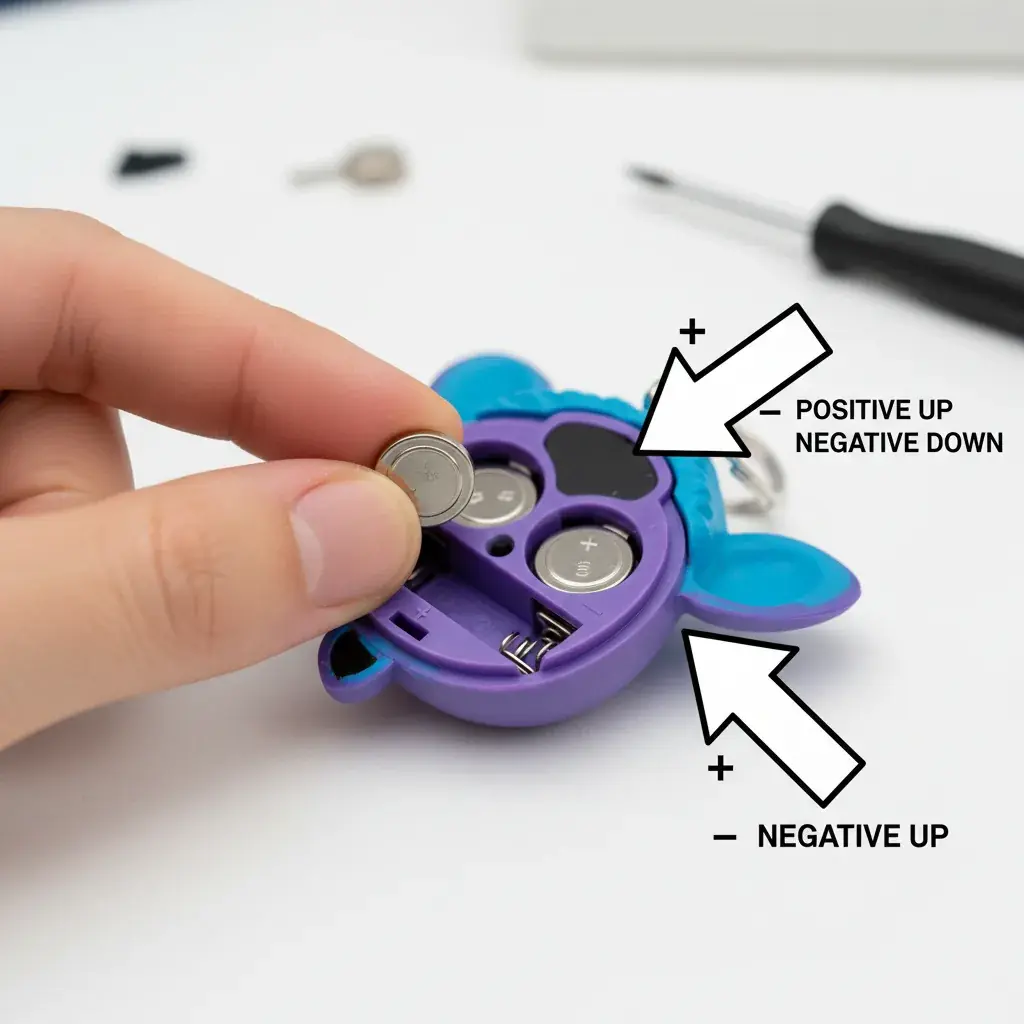
Correct battery placement prevents many power problems. Always check the polarity markers inside the compartment and insert cells gently—never force them into place.
Ensure batteries sit flat and press firmly so contacts meet snugly; gaps can cause intermittent power and unexpected restarts. If batteries move inside the compartment, secure them or seek a replacement cover to prevent contact issues.
Installation Checklist
- Verify battery type matches your model
- Check expiration date before installing
- Clean contact points if dirty or corroded
- Align positive (+) and negative (−) terminals correctly
- Press batteries flat into place so they don't shift
- Secure the cover completely before testing
- Test power-on functions to confirm proper installation
When to Replace Batteries
Watch for diminished responses—weak voice, slowed reactions, or flickering lights signal low battery. Don’t wait for total failure; replace cells at the first sign of degraded performance to avoid leakage that can damage components.
Create a replacement schedule based on how often you use your Furby: heavy users should check monthly, occasional users every few months. Always remove batteries before storing for more than two weeks to reduce the risk of corrosion during extended periods of non-use.
If you remove batteries for storage, label them and the date. When you’re ready to play again, reinstall fresh cells rather than reusing stored ones—older cells lose capacity even when unused.
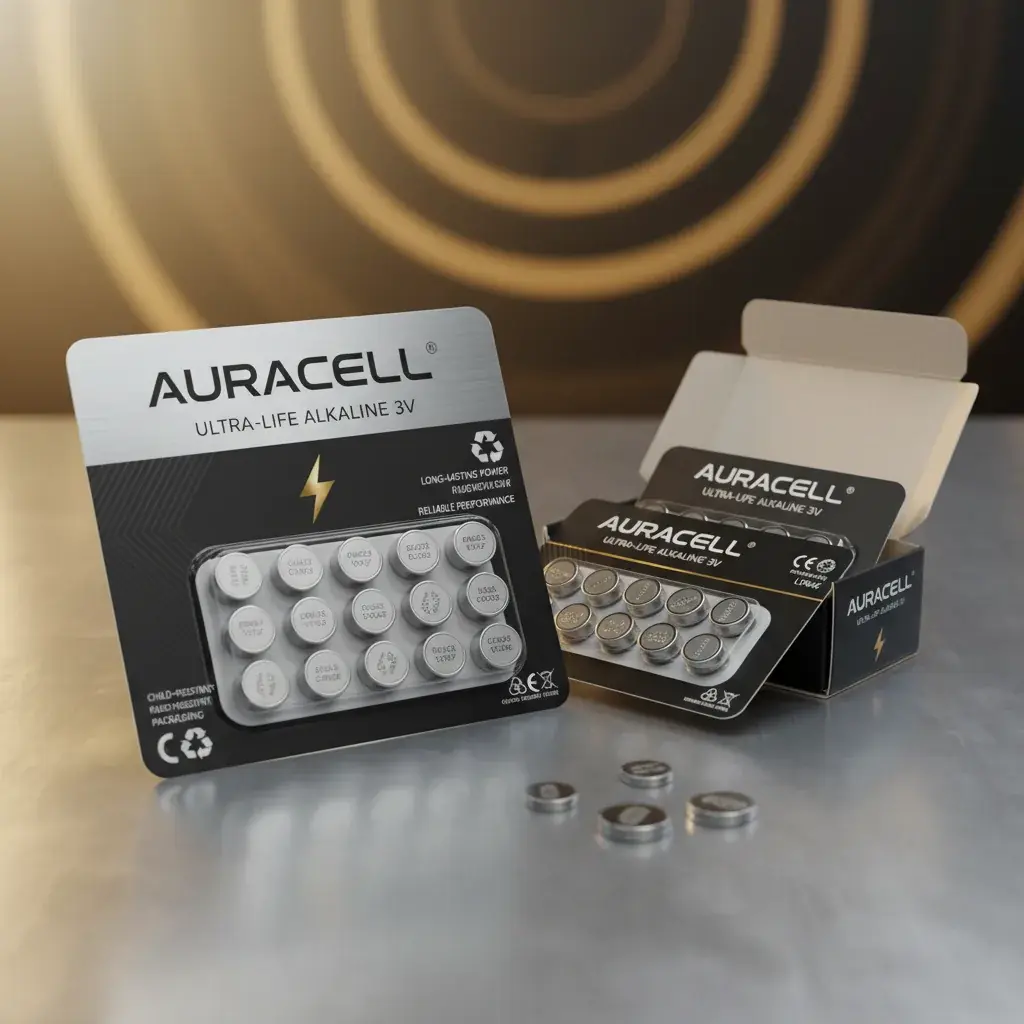
Premium Replacement Batteries
High-quality LR44 batteries specifically chosen for reliable voltage and longer battery life use in Furby keychains. Fresh premium cells give the best interaction responses and reduce replacements.
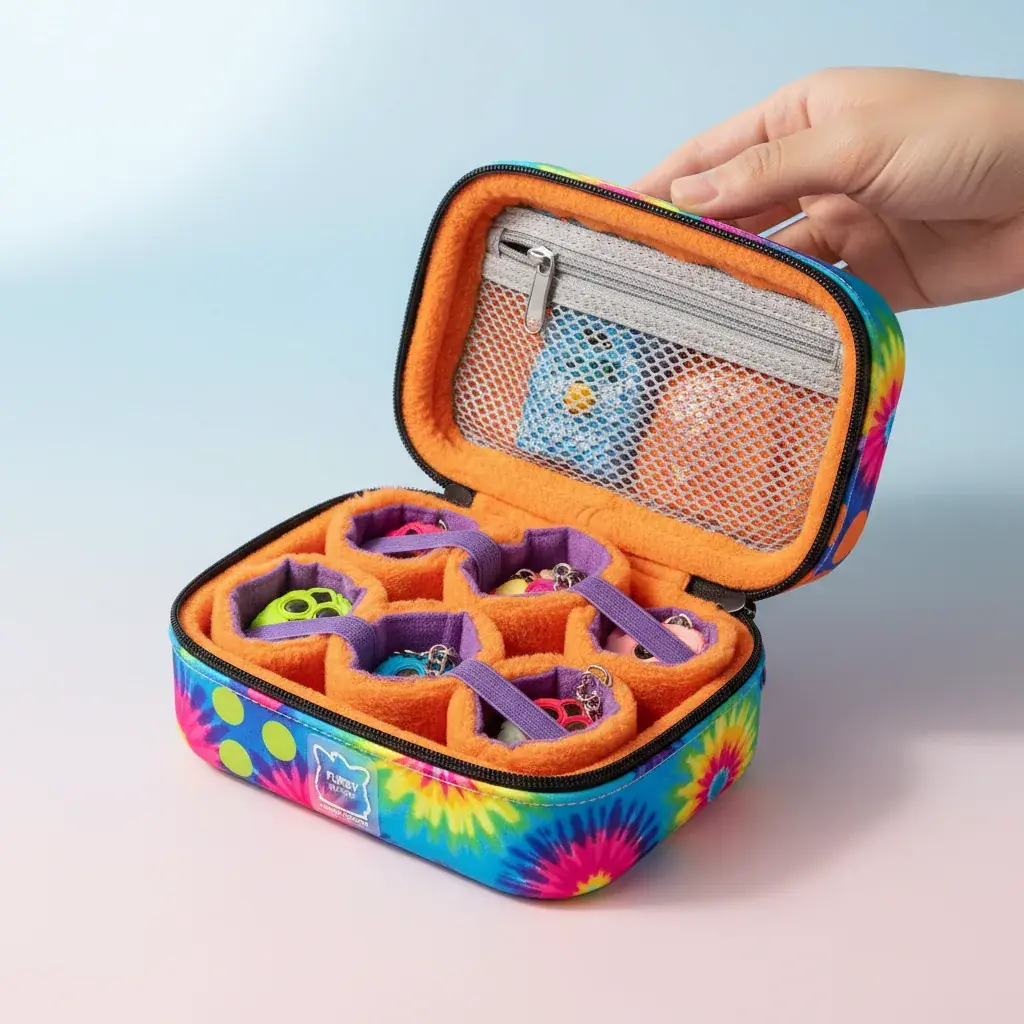
Protective Carrying Cases
A padded case protects your Furby during transport, prevents accidental activation, and helps conserve battery life by minimizing motion-triggered wake-ups.
Long-Term Storage Best Practices
Proper storage helps preserve your Furby keychain for years. Environmental factors affect battery life and toy functionality, so following a few simple steps keeps your companion ready and damage-free.

Ideal Storage Conditions
Temperature extremes harm electronic toys. Store your Furby in a climate-controlled spot around 60–75°F and avoid attics, basements, or parked vehicles where temperatures can swing widely.
Humidity accelerates battery corrosion and can damage internal components. Keep storage humidity below about 60% and use silica gel packets in containers for extra protection.
Avoid leaving your Furby in direct sunlight—UV exposure fades colors and weakens plastic over time. Choose a dark storage location away direct sunlight to preserve appearance and materials.
Preparing for Extended Storage
Before storing for more than two weeks, remove batteries to prevent leakage and power drain. This simple step reduces the risk of long-term damage.
Clean the toy first—wipe away dirt, oils, or debris with a slightly damp cloth and let it dry fully. Place the Furby in a protective container or soft cloth bag to shield it from dust and knocks.
Store removed batteries separately in their original packaging or a small labeled bag in a cool, dry place. Note the removal date on the label so you can track storage periods and battery age.
Storage Checklist: Remove batteries; clean toy; pack with silica gel; label container with date and battery status.
Reactivating After Storage
Inspect your Furby carefully before reinstalling batteries. Look for signs of damage, wear, or corrosion on contacts even if the batteries were removed.
Install fresh batteries rather than reusing old stored cells—stored batteries lose capacity. Follow the battery-care section for correct battery orientation and to ensure batteries are properly seated.
Allow the toy to come to room temperature if it was stored in a cold place, then power on and test functions. Initial sluggishness is normal and usually resolves after a few interaction sessions as the Furby returns to normal responsiveness.
Power Management Across Different Furby Keychain Models
Furby keychains have changed over the years, and each generation has slightly different power behaviors. Understanding your specific model helps you choose the best care routine to preserve battery life and functionality.

Classic Furby Keychains
Older keychain Furbies (typical late-1990s styles) use simple on/off switches and basic electronics. These models often take common button cells like LR44 and rely on full shutdown for battery conservation because they don't include sleep mode.
The power switch on many classic models sits on the bottom near the keyring—slide it fully to "OFF" for complete shutdown. Because these versions run at full power when on, turning furby off after play is especially important to conserve batteries and extend life.
Modern Interactive Keychains
More recent keychains include advanced sensors and specific interaction patterns that trigger varied responses. These features increase responsiveness but make power management more nuanced.
Many modern models support sleep mode use: after a short period of inactivity the toy drops into a low-power state and wakes quickly with touch or movement. Sleep mode strikes a good balance between readiness and conserving battery.
Some modern or higher-end keychains use different battery configurations or rechargeable options—check your model before assuming disposable cells. Rechargeable choices can reduce long-term costs and environmental impact when supported.
Limited Edition & Collector Models
Limited or collector keychains may use unique components or custom power systems. Their battery types and switch locations can vary, so always consult the documentation that came with the item or check the battery compartment for model markings.
Collectors should be extra cautious about battery care—leakage or corrosion can permanently damage rare pieces and reduce collectible value. When in doubt, use professional battery replacement or repair services for valuable models.
| Model Type | Power Switch Location | Battery Type (typical) | Sleep Mode (typical) |
|---|---|---|---|
| Classic (typical older models) | Bottom panel | LR44 / AG13 (typical) | No |
| Modern (interactive keychains) | Back panel or side | LR44 variants or model-specific | Yes — usually 2–3 min |
| Premium / Rechargeable | Side or back | Rechargeable / model specific | Yes — short timeout |
| Limited Edition | Varies | Model specific | Varies |
Check your model number on the underside or inside the battery compartment if you’re unsure which category your Furby fits. For exact specs and sleep-mode timings, consult the official manual or the Furby Toy Shop support pages.
Important Safety Precautions
Safety comes first when handling any electronic toy. Simple precautions protect both you and your Furby companion and help prevent damage internal components or battery-related incidents.
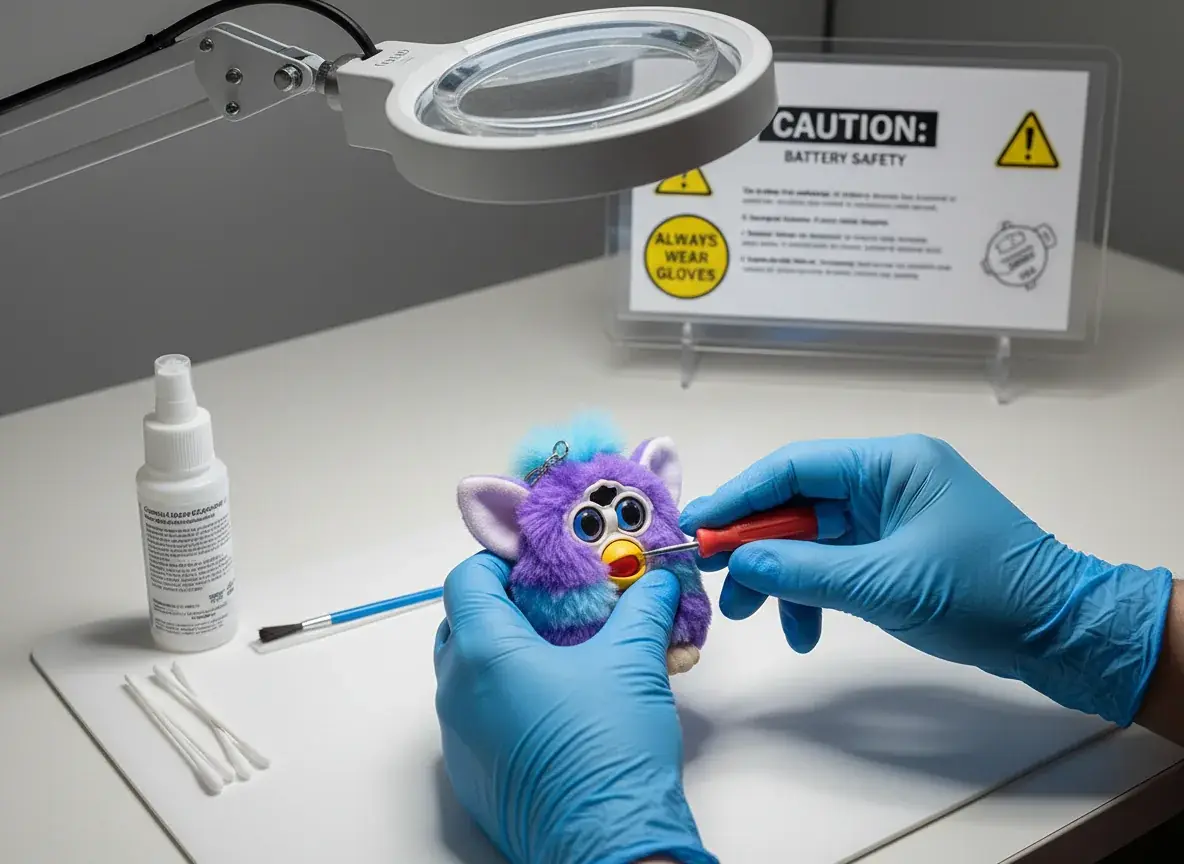
Battery Handling Safety
Button cell batteries are small and pose choking hazards for young children—always supervise battery changes and keep spare batteries locked away and out of reach.
Never mix old and new batteries or different chemistries. Mixing creates voltage imbalances that can cause leakage and shorten battery life. Replace all cells at once with fresh, matching batteries.
Dispose of used batteries responsibly at dedicated recycling centers or retailer drop-off points. Button cells contain materials harmful to the environment if sent to landfill.
Immediate steps for leakage or battery failure: remove batteries (wear gloves), ventilate the area, avoid touching leaked material with bare skin, wash hands thoroughly, and seek medical help for chemical exposure.
Physical Care Guidelines
Avoid dropping your Furby keychain on hard surfaces—impacts can dislodge batteries, crack circuit boards, or otherwise damage internal components.
Keep the toy dry. Most Furby keychains are not waterproof, and exposure to moisture can irreversibly harm electronics and void warranties.
Store and use your Furby away direct sunlight and extreme heat sources. High temperatures (for example, inside cars or near radiators) can warp plastics and increase the risk of battery leakage or swelling.
Critical Safety Warning: If you notice battery swelling, unusual heat, smoke, or chemical smells, remove batteries immediately (if safe to do so), discontinue use, and contact a professional for assessment.
Child Safety Considerations
Young children should use Furby keychains only with adult supervision. Small parts and button cells are choking hazards—securely attach the keychain to bags or accessories to reduce the chance of detachment.
Teach children not to put the Furby or its batteries near their mouths. Regularly inspect the toy for cracks, loose parts, or battery compartment damage and remove it from use if you find any problems.
For households with small children, store toys and spare batteries in a designated place out of reach to reduce accidental ingestion and to protect both children and your Furby.
Maximizing Your Furby Keychain Experience
Turning furby off properly is one part of ownership—knowing how to interact, care for batteries, and organize storage helps you enjoy furby companionship to the fullest. The tips below focus on simple routines and practices that boost fun and preserve functionality.

Creating Interaction Routines
Consistent short sessions help your Furby learn and develop recognizable responses. Try a simple routine to build personality and keep interactions satisfying:
- Daily check-in — 5–10 minutes of focused play to reinforce familiar responses.
- Varied stimuli — alternate taps, gentle shakes, and voice prompts so the toy registers specific interaction patterns.
- Rest between sessions — give the Furby time to enter sleep mode or fully power off between play periods to conserve batteries.
These routines let you enjoy furby play while minimizing unnecessary wake-sleep cycles that consume extra power.
Understanding Response Patterns
Your Furby adapts over repeated interactions. Consistent inputs produce more predictable responses, while varied inputs show off different behaviors—temperature, battery level, and time of day can subtly change reactions.
To get the most lively responses, keep batteries fresh and use your Furby at room temperature. If responses seem weak or sluggish, check battery health and functionality before assuming a mechanical issue.
Building Your Collection
Many enthusiasts collect multiple Furby keychains to enjoy different personalities and appearances. If you collect, organization and maintenance are key:
- Label storage containers and track battery replacement dates for each unit.
- Rotate play among Furbies to keep interactions fresh and avoid wearing out a single toy.
- For rare or limited editions, consider professional battery replacement to avoid damage to delicate components.
Collecting offers variety and creative play, but remember that multiple toys increase battery maintenance needs and storage considerations.
Benefits of Multiple Furbies
- Different personalities and responses to enjoy
- Expanded play possibilities with varied interaction patterns
- Collectible value and display options
Collection Considerations
- More batteries to manage
- Greater storage and organizational needs
- Time investment for proper care
Want to connect with other owners? Join Furby community meetups or sign up for the Furby Toy Shop newsletter for care tips, collector news, and event announcements—community resources deepen the enjoyment and help you enjoy furby ownership responsibly.
Furby Community and Support Resources
You’re part of a global Furby community—connecting with other owners and experts makes caring for your Furby easier and more fun. Below are places to find troubleshooting help, care tips, and collector support.

Online Communities
Social media groups and forums bring Furby lovers together to share care tips, troubleshooting advice, and collection photos. Search for Furby groups on major platforms to ask questions, watch restoration videos, and learn model-specific tricks.
Forums dedicated to vintage toys and collector sites often have active Furby threads where experienced users post detailed guides and identify rare models—great places to learn about specific interaction patterns and long-term care.
Video platforms host many Furby content creators who post repair walkthroughs, battery-care tutorials, and collection showcases—visual how-to content can be especially helpful for tricky maintenance tasks.
Official Support Channels
Furby Toy Shop provides customer support and model-specific care guides. Our support pages include downloadable manuals and troubleshooting steps for common power and battery issues—check the site for PDFs and model diagrams.
How to get help: call or visit our support page for fastest response; hours and expected reply times are listed on the contact page.
Furby Toy Shop — Visit Our Store
Name: Furby Toy Shop
Address: 42840 Creek View Plaza #115, Ashburn, VA 20147, United States
Phone: +1 571-223-2614
Collector Events and Meetups
Toy conventions and local meetups often include Furby collector gatherings. These events let you see rare models in person, trade tips, and learn best practices for maintenance and display.
Local meetup groups organize regional events—search community boards or the Furby Toy Shop events page to find nearby gatherings. Online auctions and marketplaces are useful for expanding collections, but always verify authenticity before buying vintage Furbies.
Environmental Care and Sustainability
Responsible Furby ownership includes environmental awareness. Small choices—like proper battery handling, timely replacements, and repairing instead of discarding—reduce ecological impact and help extend battery life and toy lifespan.
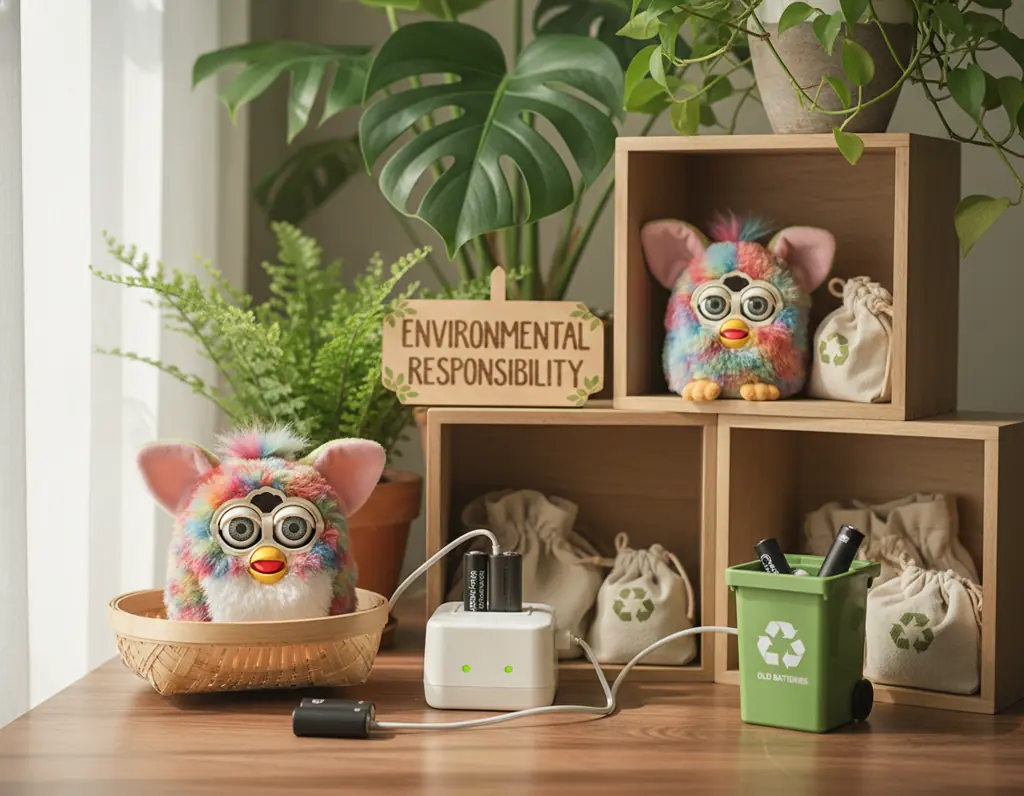
Battery Recycling Importance
Button cell batteries contain heavy metals and toxic materials—discarding them in regular trash can contaminate soil and water. Always recycle used cells at designated facilities or retailer drop-off points.
How to recycle button cells safely: place used batteries in a labeled container, tape the terminals with non-conductive tape, and drop them off at an electronics retailer or community hazardous-waste collection site. Many stores offer free battery recycling when you shop.
When possible, consider rechargeable battery options for compatible models to reduce waste. Rechargeables have higher upfront cost but lower long-term environmental impact and can help extend battery life use when managed correctly.
Extending Toy Lifespan
Careful maintenance prevents premature disposal. Well-kept Furbies can last for years—clean contacts, avoid moisture and extreme temperatures, and follow the battery-care tips to reduce damage and prolong functionality.
Repair rather than replace when feasible. Many common issues (dirty contacts, stuck switches, simple parts replacement) have straightforward fixes. Furby Toy Shop offers repair services that can help extend a companion’s useful life.
When a Furby is ready for new hands, consider donating or passing it to family members—sharing pre-loved toys reduces demand for new production and keeps joy circulating.
Sustainable Collecting Practices
Buy from responsible retailers and choose quality over quantity. Well-made toys require fewer replacements and lower long-term resource use. Support sellers that prioritize sustainable packaging and recycling programs.
Second-hand markets are an excellent source for vintage Furbies—restoring and reusing existing toys reduces new manufacturing impacts. Clean, test, and replace batteries before gifting or selling to ensure safe reuse.
Small habits—conserving battery life through sleep mode, removing batteries for long storage, and following proper disposal—add up. Together they help you enjoy your Furby while minimizing environmental impact.
Preserving the Magic of Your Furby Companion
Knowing how to turn off furby keychain correctly protects your little companion and helps conserve battery life so it’s ready when you want to play. These simple steps reduce unwanted activation and keep your Furby functioning well.

Good power management—using sleep mode when convenient, turning furby fully off between planned play sessions, and removing batteries for long-term storage—extends battery life and preserves functionality. Regular care and safe storage help your Furby deliver years of enjoyment.
Different models need slightly different care. Check your model number and follow the model-specific tips earlier in this guide to optimize routines for your Furby’s components and features.
The Furby community and Furby Toy Shop support resources are here if you need troubleshooting, replacement parts, or repairs—reach out for help when a problem goes beyond simple maintenance.
Quick next steps: 1) Locate your power switch and learn the shutdown steps, 2) use sleep mode or remove batteries for extended periods, 3) contact Furby Toy Shop or visit our Ashburn store for expert support.
Small, consistent care choices—conserve battery, check batteries regularly, and store away direct sunlight—make a big difference. Your Furby keychain is more than a toy; thoughtful care keeps it a cheerful companion for years to come.
Discover the Complete Furby Toy Shop Collection
Explore our selection of authentic Furby keychains, premium accessories, and essential care products. Every item includes care guidance, and our support team can help you choose the right batteries and accessories.
Thank you for trusting Furby Toy Shop. If you need local assistance, visit our Ashburn store or call +1 571-223-2614 for personalized help. May your Furby bring laughter, creativity, and friendship for many adventures ahead.