

01 / FIRST, A QUICK LOOK
Is your mini Furby a Furblet?
When a tiny toy has plenty to say, the last thing you need is a long hunt for its off switch. My starting point is the toy’s identity: “mini Furby” is a useful description, but it is not a single set of instructions.
The small, clip-on musical companion
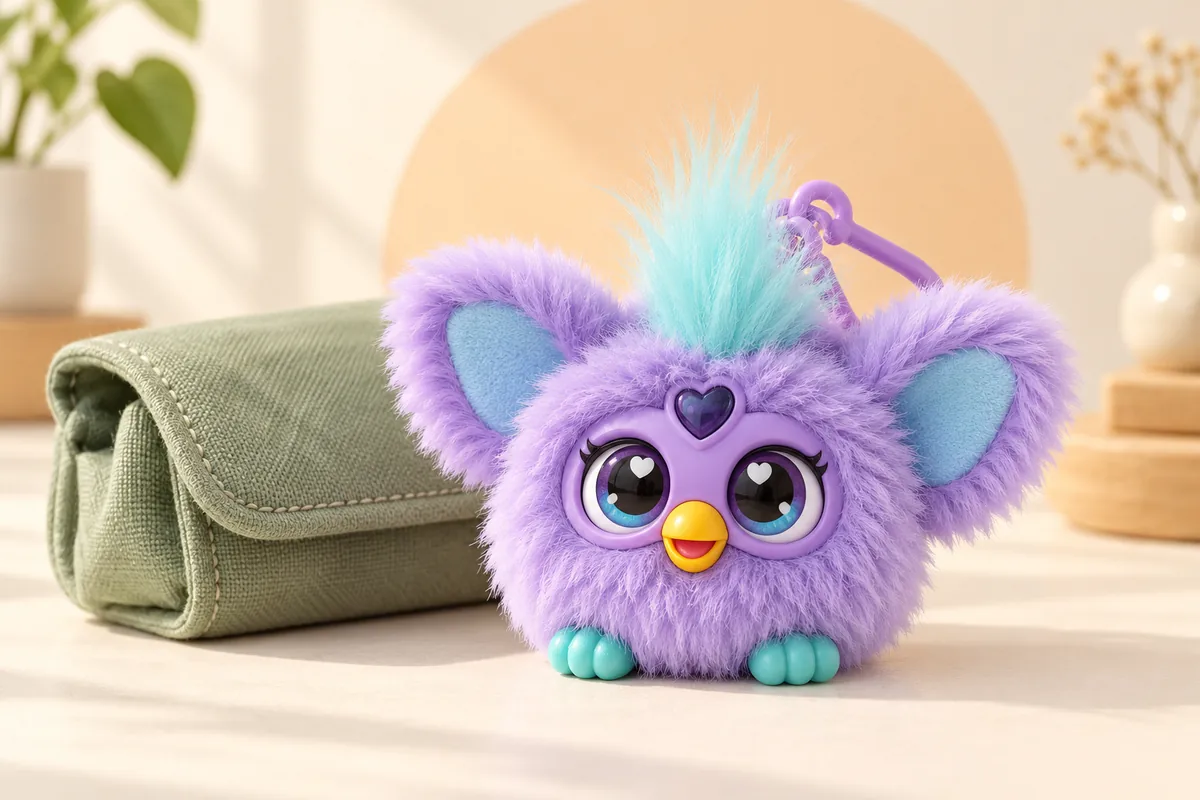
Standard Furby Furblets are the little electronic companions with a removable clip, a heart-shaped gem and ears that fold over the face. Hasbro describes them as roughly 2 inches tall. Check the name or product code on the packaging or label if you are unsure; a vintage keychain or a different mini release may work differently.
I would make that check before trying a combination remembered from a larger Furby. Our Furby generations guide helps separate the families. The instructions below focus on the familiar electronic Furblet with a button beneath the fur on top of its head.
Three places to press, three different jobs
Top of the head
The place to start for power and wake-up. A longer hold is used to shut the Furblet off.
Heart gem
A music control. It is easy to confuse this with the larger Furby’s shutdown control.
Beak / mouth
Used for feeding sounds and some play interactions.
You can compare these controls with Hasbro’s Furblet instructions.
02 / THE QUIET-TIME ROUTINE
How to turn off a Furblet
My preference is one deliberate hold, followed by a pause. Repeated taps can make it harder to tell whether you are ending play or starting another response.
Find the head button
Support the toy and locate the pressable area on top of its head, beneath the tuft of fur.
Hold for about three seconds
Keep the head button pressed rather than tapping it repeatedly. Hasbro gives approximately three seconds for Furblet shutdown.
Release and leave it alone
Let go and allow the response to finish. Avoid pressing the head again to “check”, because that is also the wake-up control.
The timing comes from Hasbro’s Furblet power-off answer.
ONE DETAIL THAT CHANGES EVERYTHING
Three seconds, not three buttons
The Furblet instruction is a hold on the head. Rapidly pressing the heart three times is Hasbro’s method for the full-size 2023 Furby. There is no need to press three Furblet controls together for ordinary shutdown.
Still making sounds? Start with what you notice.
I would change one thing at a time. That keeps a simple button mix-up from turning into an unnecessary battery change.
It plays music when I try to switch it off
Check where your finger is. The heart gem is a music control; move to the button on top of the head. Use a continuous hold, then release and stop interacting.
It goes quiet, then starts again while I handle it
The head button also wakes a sleeping Furblet. Put the toy down without pressing that area again. For a bag or shelf, choose a position where other objects do not lean against its controls.
The ears open, but normal play does not start
A new Furblet may still be in Try-Me mode. Hasbro says to press the head button, then the mouth about five seconds later. Follow the sequence on Hasbro’s Try-Me troubleshooting page; this is a setup step, not a shutdown combination.
It behaves differently after I replace the batteries
Hasbro says removing and reinserting Furblet batteries can return it to Try-Me mode. Use the head-then-mouth setup sequence again. The manufacturer’s after-battery-change guidance explains this behaviour.
It still does not respond normally
Check the product-specific instructions and the battery cover. For a new Furblet that will not start, Hasbro advises pressing the head control sufficiently to release the ears and ensuring the cover is fully tightened. If a control is stuck, the cover is damaged or the problem persists, stop forcing it and contact Hasbro Consumer Care with the product code.
03 / A BREAK, THEN BACK TO PLAY
Furblet sleep mode and waking up
Sometimes the easiest quiet-time routine is simply to stop playing. Hasbro says Furblets enter sleep after roughly a minute without interaction. A short press on the top of the head wakes them again.
LEAVE IT TO REST
About 1 minuteNo interaction lets the Furblet enter automatic sleep.
READY TO PLAY?
Press the headUse the top button to wake a sleeping Furblet.
See Hasbro’s sleep and wake-up guidance.
Do folded ears mean it is switched off?
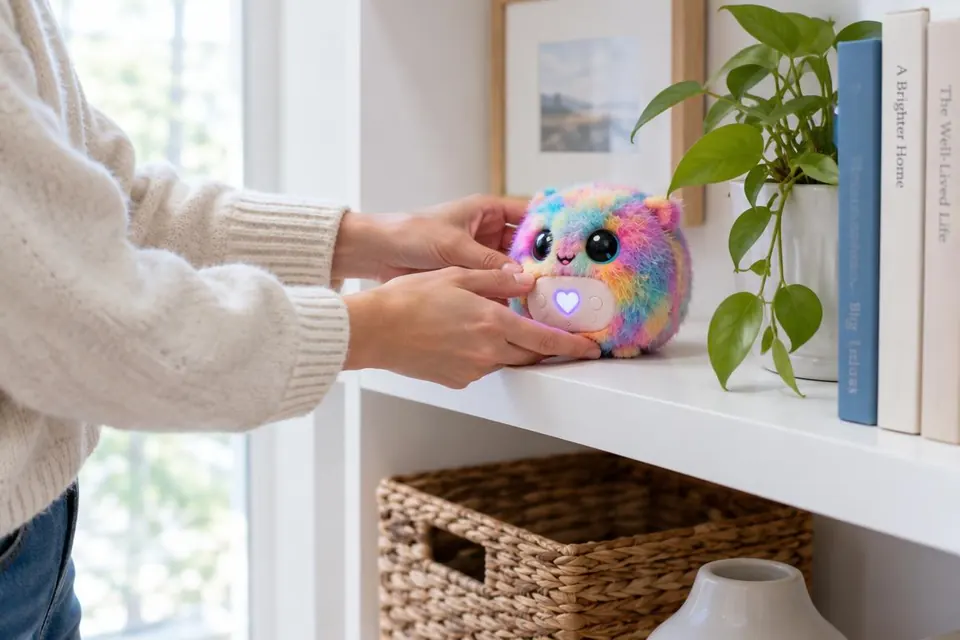
I would treat the folded ears as part of peekaboo play, rather than as a power-status indicator. Hasbro describes folding an ear or both ears, then pressing the head to make them pop up. For an intentional break, use the head hold or let automatic sleep take over.
What “off” means in this guide
Hasbro’s support page calls the long head press “shut off”, while its instruction sheet shows sleep beside the three-second hold. Neither is a reason to promise that the battery circuit draws absolutely no power. For everyday quiet, use the control. For longer storage, follow the battery instructions supplied with your exact toy.
04 / SIMILAR FACES, DIFFERENT CONTROLS
Mini Furby, Furblet or full-size Furby?
| Your toy | Where to start |
|---|---|
| Standard electronic Furblet | Use the head-button routine in this guide. |
| Full-size 2023 Furby | The heart-gem method is different. Use our model-specific Furby commands guide. |
| Older keychain, Furbling or another mini toy | Find its name or product code before choosing instructions. |
Let the product label lead
Colour is a lovely way to choose a toy, but a poor way to identify a control sequence. If you searched for “how to turn off Furby keychain”, start with the label: the clip alone does not prove that every keychain toy is a Furblet.
Check special editions individually
A themed character can look familiar while belonging to a different release. I would keep the instruction sheet with the toy’s name written on it. If the controls do not match this page, search the product number in Hasbro’s instruction library instead of improvising a reset.
05 / KEEP THE LITTLE THINGS SAFE
Battery care for a mini Furby
Standard Furblet packs such as Luv-Lee and Mello-Nee use three A76/LR44 button cells. Check the label and the included sheet before buying replacements; do not choose a battery just because it looks similar.
I prefer to make battery changes a separate, unhurried job. A quick break in play should not become a hunt for a screwdriver; opening the compartment makes sense when the cells need replacing or the toy is going into storage.
Check setup before blaming the batteries
An unresponsive toy is not automatically a flat-battery problem. Work through sleep, Try-Me mode and the cover check first. If replacement is needed, have an adult follow the toy’s battery instructions, including the orientation markings and secure closure.
A careful battery change, from cover to check
Ask an adult to work at a clear table, with the correct replacement cells and the toy’s battery sheet ready. My rule here is simple: if a cover or battery will not fit gently, stop and check the instructions.
- Open the secured cover with the correct tool. Use the screwdriver specified for the compartment. Do not pry with a knife or force a stubborn screw.
- Remove the old set and inspect the compartment. If there is leakage, corrosion or damage, pause and ask Hasbro for care advice before inserting replacements.
- Match the specification and polarity. Use the cell type listed for that Furblet and follow the + and − markings. Replace the set together; do not mix old and new cells, brands or battery types.
- Close the cover securely before play. Keep every loose cell away from children. A damaged or unsecured cover needs attention before the toy goes back into a child’s hands.
- Check normal play once. Press the head to start. If only the ears open, use the head-then-mouth Try-Me sequence described above.
For the general rules on mixing, handling and storing cells, see Duracell’s battery-care guidance. The toy’s own sheet still determines which cells fit.
Make quiet time deliberate
My practical approach is to finish the interaction, put the Furblet somewhere its buttons will not be pressed, and leave it there. Taking batteries out and putting them back for every short break adds work and may mean repeating the Try-Me setup.
Keep new and used batteries out of children’s reach, and do not let a child use the toy with a loose or damaged battery cover. If a battery may have been swallowed or inserted into the body, seek immediate medical help. The CPSC’s button-battery guidance explains the risk.
06 / WHEN THE BREAK IS OVER
Wake your Furblet and start gently
One press is a better first check
Press the top of the head to wake the Furblet. Give it a moment before trying another control. If the ears open but normal responses are missing, return to the Try-Me steps above rather than repeating the shutdown hold.
Keep the play controls separate
The heart gem is for music, while the beak gives feeding sounds. I like keeping those jobs distinct when explaining the toy: head for waking and quiet time, heart for tunes, beak for feeding play. You can explore the longer musical interactions in the included instructions once the basic routine feels familiar.
07 / A PLACE TO PAUSE
Putting a Furblet away
For a short break, choose a dry spot where the head button will not be squeezed by a bag, cushion or another toy. For a longer spell in storage, follow the supplied battery-care sheet and let an adult handle the battery compartment.
Keep the instruction sheet nearby and use surface cleaning only, as directed by Hasbro. My favourite small organisational touch is a label on the storage pouch with the toy’s character name and product code. It makes the next search for the right instructions much easier.
Bedtime and bag-packing: keep the controls free
I like a routine that is easy to repeat: finish play, use the head-button hold, and choose a spot where the controls have room. For bedtime, a clear shelf is simpler than burying the toy under cushions. For a bag, check that a zip, book or tightly packed pouch is not pushing on the head.
The clip is useful for carrying, but it does not lock the controls. If you need certainty that the toy cannot start during a long journey, an adult can remove the full battery set according to the supplied instructions, secure the empty cover and store the cells safely. Keep loose batteries away from keys, coins and children.
Before a longer break
For storage lasting months, remove the batteries rather than leaving them forgotten inside the toy. Check the storage advice supplied with your model, especially if it will be unused for a shorter period. Keep the toy dry and away from excessive heat.
For routine care, follow Hasbro’s surface-clean-only direction. A gentle wipe of the exterior is a better starting point than opening the casing or spraying cleaner into the controls. If residue or a stuck button needs more than ordinary surface care, ask the manufacturer before using solvents.
If your companion still needs a nickname, the Furby name generator is a cheerful next stop once quiet time is sorted.
08 / THE QUICK ANSWERS
Mini Furby power questions
How do I turn off a mini Furby without removing its batteries?
For a standard electronic Furblet, hold the button on top of the head for about three seconds, then release it. Check the exact model if its controls differ.
Do I press the heart gem three times to turn off Furby Furblets?
That instruction belongs to the full-size 2023 Furby. Standard Furblets use a hold on the top-of-head button instead.
Can I switch a Furblet off by folding its ears?
Folded ears are part of the peekaboo feature and do not reliably tell you the power state. Use the head-button routine for a deliberate break.
Why does my Furblet start talking again?
Check whether you pressed the head button again or an object is pressing against it. The head control wakes a sleeping Furblet. If the behaviour persists, check the model instructions and contact Hasbro.
Why will my Furblet not wake up?
Try the top-of-head button. If the ears open but normal play does not begin, check Try-Me mode. Also check the battery cover and use the manufacturer’s model-specific troubleshooting guidance.
What if it stops working after I change the batteries?
Hasbro says Furblets can return to Try-Me mode when batteries are removed and reinserted. Press the head, then the mouth about five seconds later, following the included instructions.
Does switching off mean there is no battery use at all?
The manufacturer describes a head-button shutdown and automatic sleep. These instructions do not establish zero electrical drain. For long-term storage, follow the battery-care sheet supplied with your toy.
Should I remove the batteries every time play ends?
For an ordinary short break, use the power control or automatic sleep. Repeated battery removal may require Try-Me setup again. Let an adult follow the supplied battery instructions for longer storage.
Should I use a paperclip to reset my Furblet?
Use only a reset procedure described in the instructions for your exact model. Do not probe an unfamiliar hole or treat a routine power-off problem as a reason to open the casing. Check sleep, Try-Me mode and the battery cover first.
Can I use rechargeable batteries in a standard Furblet?
Use the battery type specified for your exact toy. Standard packs such as Luv-Lee and Mello-Nee list A76/LR44 cells; this is not a recommendation to substitute a rechargeable chemistry. Never attempt to recharge a cell that is not labelled rechargeable.
SMALL ROUTINE. LESS GUESSWORK.
Leave the next song for later.
The useful habit is recognising your toy and giving its controls a little space. For a standard Furblet, a deliberate head-button hold starts quiet time; a short press brings play back when you are ready.
Back to the three steps ↑