

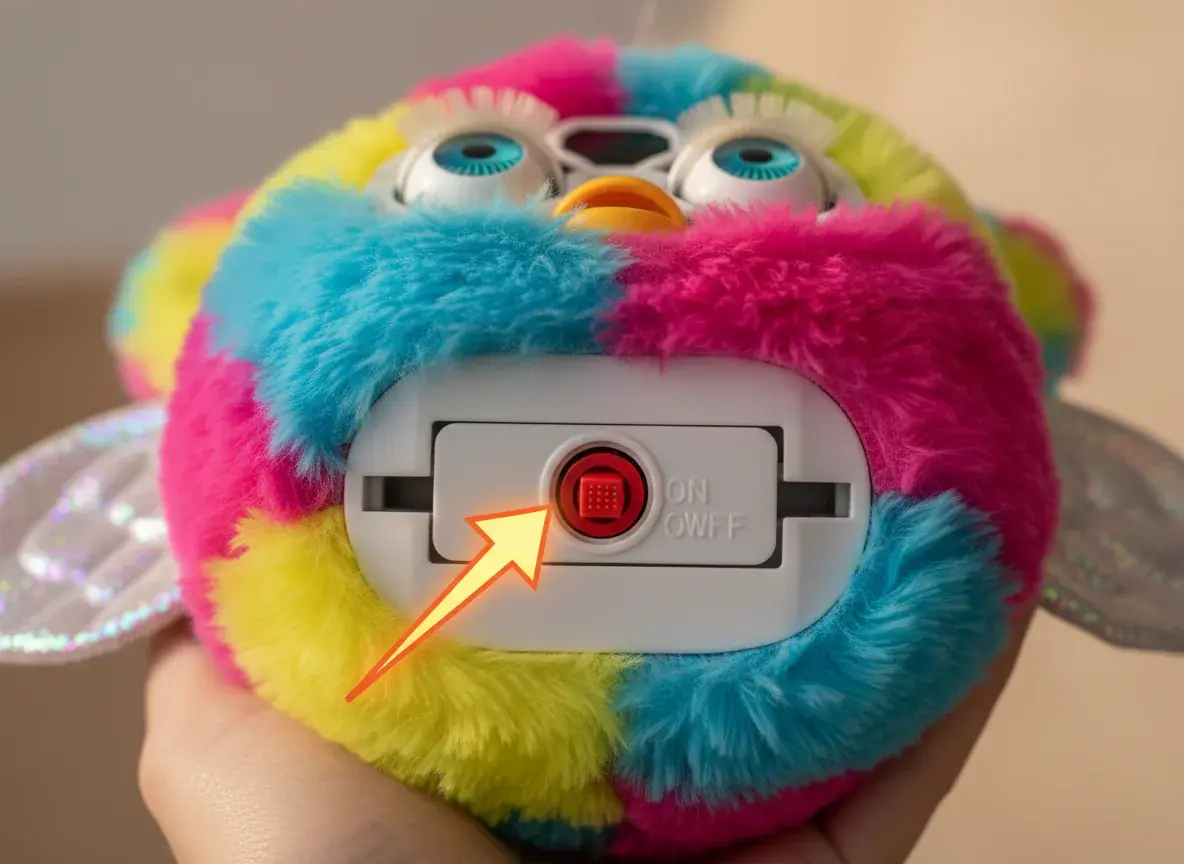
Easy Way to Turn Off a Furby 2025 | Furby Toy Shop
Finding the right way to turn off your Furby can feel like solving a magical puzzle. These beloved interactive toys bring endless joy and laughter to playtime, and Furby Toy Shop helps owners get the most from their furry companions. But every Furby needs rest to recharge its energy.
Whether you're a new Furby parent or a seasoned collector, understanding how to properly power down your furry companion is essential. This guide will walk you through everything you need to know about how to turn off a Furby 2025, from the power switch location to quick troubleshooting.
We'll cover the power switch location, step-by-step instructions, and troubleshooting tips. You'll also discover important battery care information to help extend your Furby toy's life and get the best battery performance.
Understanding Your Furby's Power System
The Furby 2025 uses a simple yet effective power system designed around replaceable batteries and a manual switch. This interactive toy relies on consistent power to animate sounds, eye displays, and movement.
Every Furby includes a power switch that controls the main electrical circuit. Flip the switch ON to bring your Furby to life; flip it OFF to stop sounds, movement, and sensor responses.
How the Power Switch Works
The power switch completes or breaks the circuit between the batteries and Furby's electronics. When set to ON, the battery sends power and the Furby responds to touch, voice, and motion. When set to OFF, the circuit is open and the toy enters a rest state.
For a quick walk-through of using the power switch, see the Step-by-Step section below.
Power ON State
- Eyes open and blink
- Responds to touch and interaction
- Makes sounds and speaks
- Moves ears and body
- Battery actively supplying power
Power OFF State
- All movement stops
- Eyes close completely (typical behavior)
- No sounds or speech
- Touch sensors inactive
- Battery life preserved while switched off
Battery Requirements for Furby 2025
Quick fact: Most Furby 2025 models use four AA batteries — use fresh, high-quality batteries for best results.
Choosing the right batteries helps maintain consistent furby power and keeps features responsive. Alkaline AA batteries are a good everyday choice; rechargeable AA cells work too but may offer slightly different voltage behavior.
Important: Always use the same brand and type of batteries together and replace the full set at the same time. Mixing old and new batteries can reduce performance and battery life.
Locating the Power Switch on Your Furby
Finding the power switch is the first step to turning your Furby off successfully. On most Furby 2025 models the switch placement is consistent, so locating it is quick and easy.
Standard Power Switch Location
The power switch is located on the bottom of your Furby toy, typically next to the battery compartment. Gently turn your Furby upside down to view the small sliding switch marked ON and OFF.
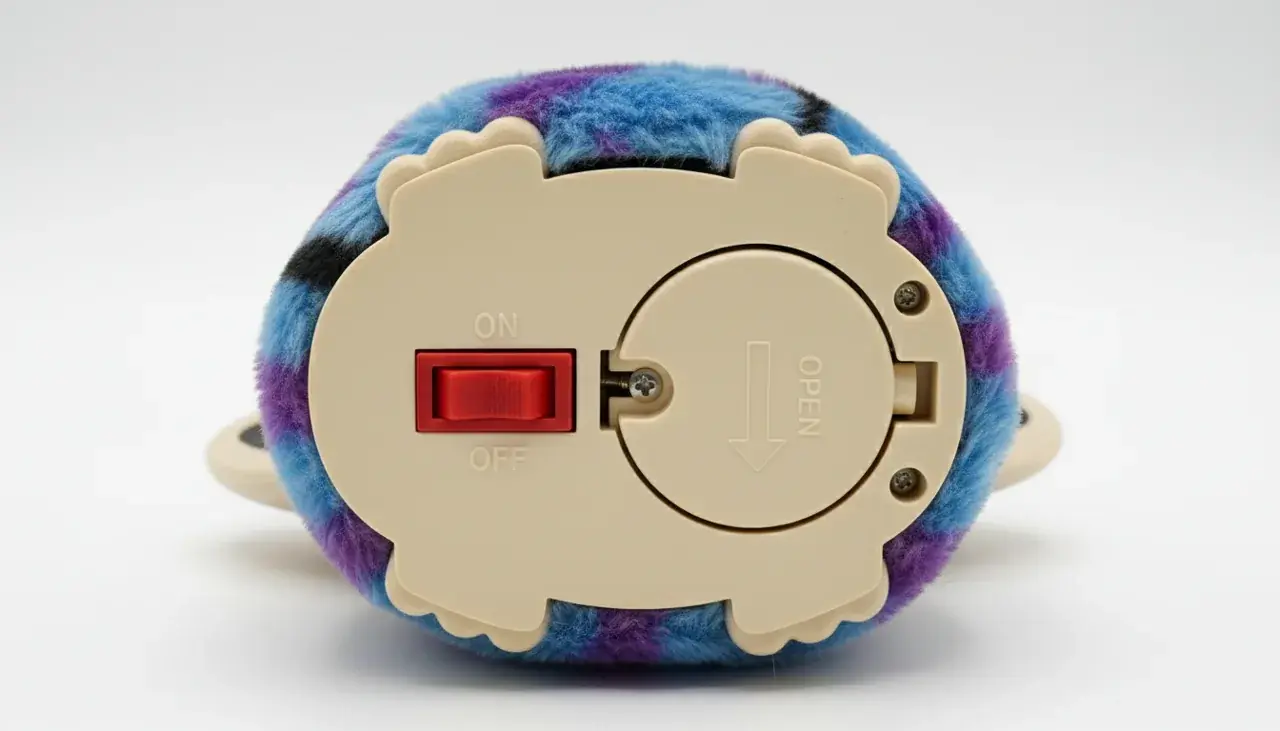
Tip: look for a small sliding switch beside the battery compartment — a bottom-mounted sliding switch is the usual design.
- Hold your Furby securely in both hands
- Gently rotate the toy upside down
- Locate the battery compartment area
- Find the sliding switch next to it
- Check the current position (ON or OFF)
Different Furby Models and Switch Variations
While most models share the bottom-mounted sliding switch, small variations exist across different Furby models and production batches. For example, Furby Boom models use a similar bottom placement but the switch color or exact position can differ slightly.
If you can't find the switch, double-check under the battery compartment flap and consult the Troubleshooting section below — sometimes debris or a misaligned compartment can hide the switch.
How to Turn Off a Furby 2025: Step-by-Step Guide
Turning off your Furby correctly helps preserve battery life and keeps the toy working smoothly. Use the quick checklist below if you want the fastest way to turn your Furby down, or follow the full steps for extra care.
Quick steps: Turn Furby OFF → Wait a few seconds → Verify eyes closed and silence.
The Basic Turn-Off Process
The process takes only a few seconds once you know where the power switch is. These steps work for nearly all Furby 2025 models.
- Place your Furby on a soft, safe surface.
- Hold the Furby gently but firmly with both hands.
- Turn the Furby upside down carefully.
- Locate the power switch on the bottom near the battery compartment.
- Slide the switch from ON to OFF.
- Wait 2–3 seconds for the Furby to power down completely.
- Confirm the eyes close and all sounds stop.
- Return the Furby to an upright position.
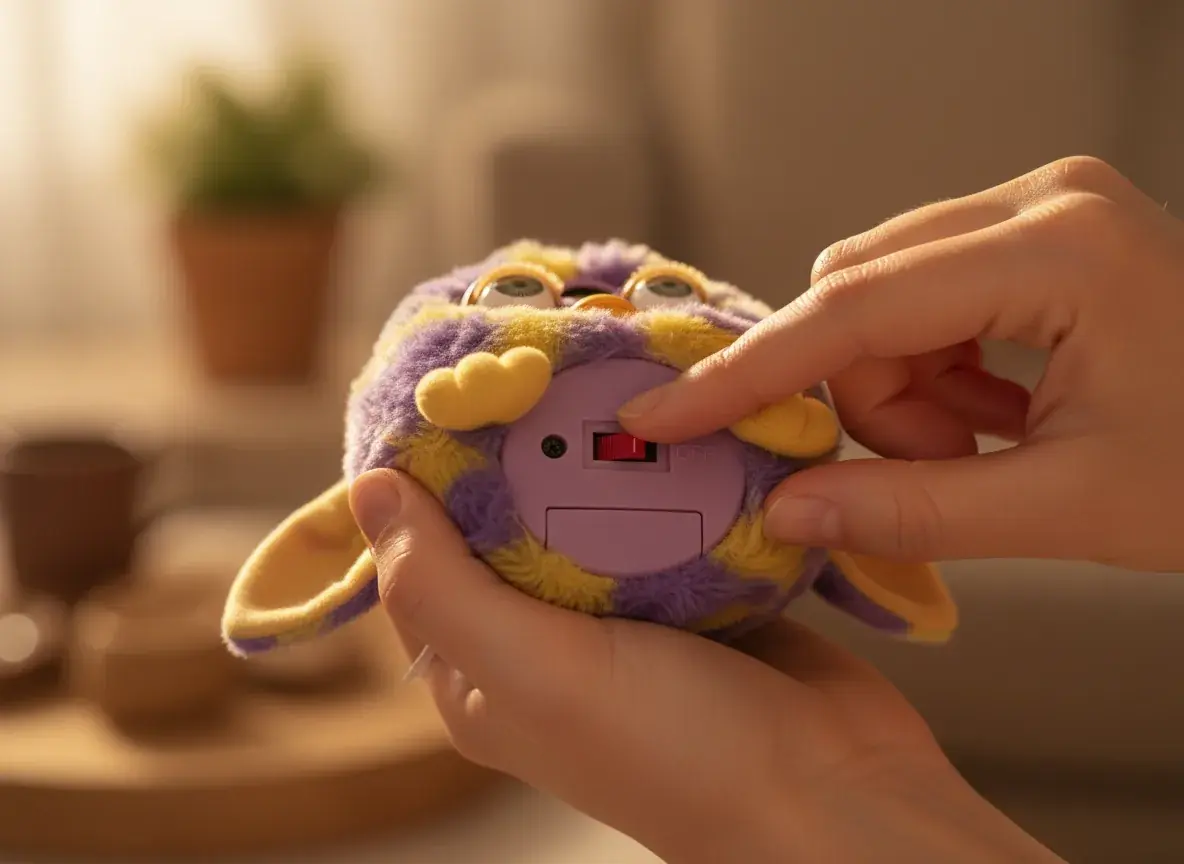
What Happens When You Turn Furby Off
Sliding the power switch to OFF opens the circuit and stops power flow. Your Furby's eyes will close, movement will halt, and sound will stop as the toy enters a rest state—this is normal.
Ensuring Complete Power Down
Occasionally a Furby may seem like it's still active due to residual power. Use these checks to ensure a full shutdown:
- Confirm the eyes are fully closed.
- Listen for any residual sounds or beeps.
- Verify touch sensors do not respond.
- Wait at least 5 seconds after switching off to ensure all systems stop.
- If you still notice activity, try the alternative method below.
Gentle Handling: Always support your Furby's body when turning it over. Dropping or rough handling can damage internal mechanisms and affect the switch or eyes.
Alternative Method: Removing Batteries
If the power switch fails or you need a complete power reset (for long-term storage or stubborn glitches), removing the batteries gives a guaranteed shutdown. Note: removing batteries for short-term daily turn-off is unnecessary and may wear the compartment over time.
- Turn your Furby upside down on a soft surface.
- Locate and open the battery compartment cover with the appropriate screwdriver.
- Carefully remove all batteries and set them aside.
- Store batteries in a cool, dry place or recycle if depleted.
- Close the battery compartment securely before storing the toy.
Removing batteries prevents any drain while the Furby is in storage and helps protect against corrosion. For replacement batteries, screwdrivers, or a care kit, visit the Furby Toy Shop accessories collection.
Featured Furby 2025 Collection
Discover a handpicked selection of Furby toys that bring joy and companionship. Each model uses the same easy power switch design for simple on-off control and takes four AA batteries for reliable play.

Classic Furby 2025 - Purple Magic
A playful classic with expressive LED eyes and responsive touch sensors — great for everyday play and bonding.
- Responds to voice and touch
- 600+ phrases and songs
- Expressive LED eyes
- Easy-access power switch • 4x AA batteries

Furby 2025 - Rainbow Dreams
Colorful and cuddly, Rainbow Dreams reacts to touch and sound with delightful dances and songs.
- Multi-color LED display
- Musical and dancing modes
- Touch-sensitive ears and belly
- Simple battery compartment access • 4x AA batteries
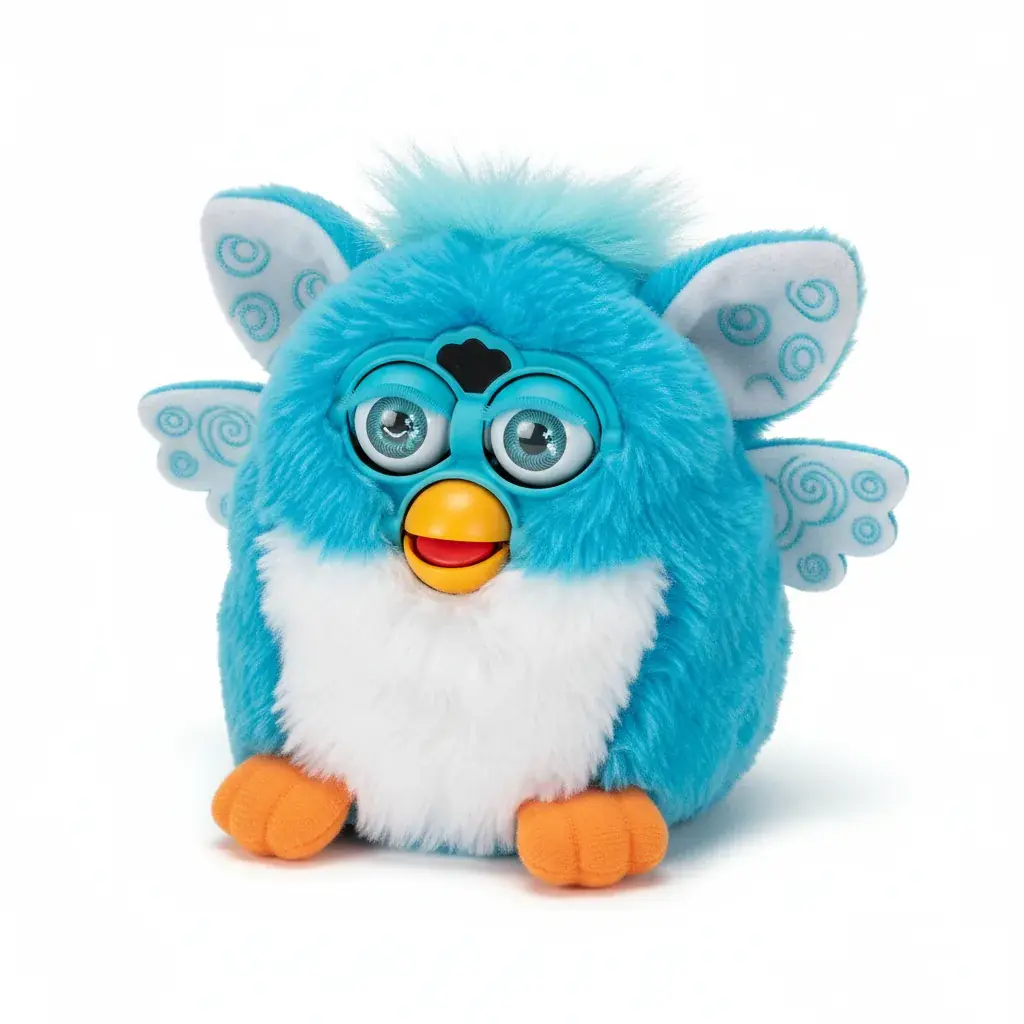
Furby 2025 - Ocean Blue Edition
Calming ocean tones meet energetic personality — perfect for storytelling and interactive play.
- Advanced voice recognition
- Interactive storytelling mode
- Customizable personality traits
- Convenient power management • 4x AA batteries
Troubleshooting: When Your Furby Won't Turn Off
Sometimes your Furby may not respond to the power switch the way you expect. Most issues are simple to fix with a few quick checks—this troubleshooting guide will walk you through the most common problems and solutions.
Common Power Switch Problems
Several typical issues can prevent your Furby from turning off properly. Working through these steps in order often restores normal function without repairs.
Stuck Power Switch
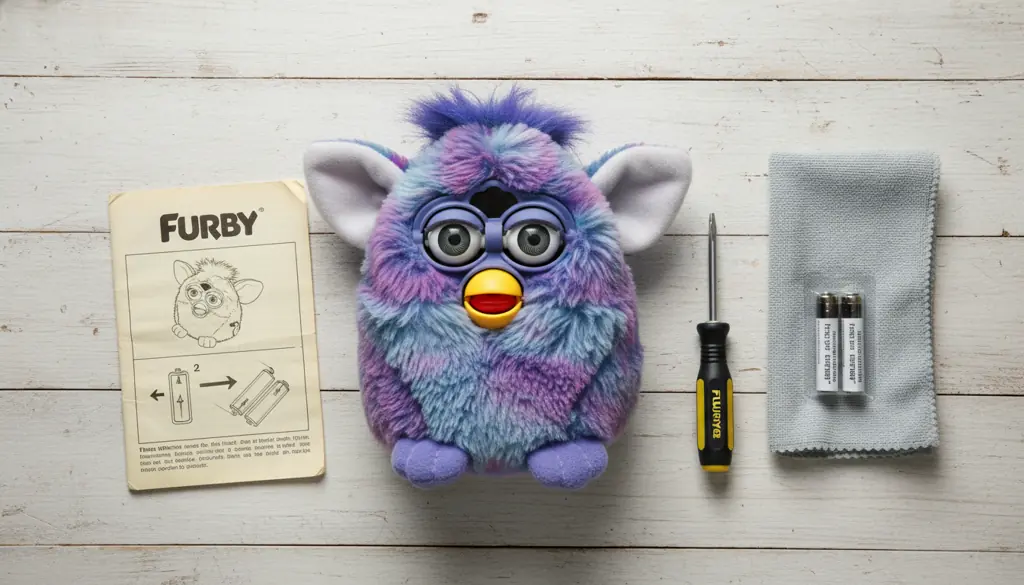
Dust, lint, or a slightly misaligned compartment can make the sliding switch feel stiff. Try these gentle fixes first.
- Gently wiggle the switch back and forth to free it.
- Use a dry cotton swab to clean around the switch—do not use liquids.
- Apply very light pressure when sliding; never force a stuck switch.
- Inspect the battery compartment for debris that might block the switch.
Furby Keeps Making Sounds After Power Off
Occasionally you’ll hear residual noises after switching OFF. Electronics can hold a small charge briefly—use this checklist to rule out causes.
- Wait 10–15 seconds after switching off to allow residual power to drain.
- Confirm the switch is fully in the OFF position.
- If sounds continue, remove and reinsert the batteries (see Removing Batteries below).
- Verify batteries are seated correctly and not corroded.
- Test with fresh batteries to rule out erratic power delivery.
Eyes Won't Close Completely
If your Furby's eyes remain slightly open after turning off, the problem is often mechanical rather than electrical. Avoid tapping the toy—use careful inspection instead.
Immediate Checks
- Try the power switch a couple of times to ensure it’s fully off.
- Remove batteries for 30 seconds and reinstall to reset electronics.
- Check for obstructions near the eye mechanism (hair, lint).
- Gently move the eyelid area with a fingertip only if there is no resistance.
Long-term Fixes
- Carefully clean around the eyes with a soft, dry brush.
- Ensure batteries are correctly installed and fresh.
- Store the Furby upright to avoid pressure on eye mechanisms.
- If the issue persists, contact support or bring your Furby to Furby Toy Shop in Ashburn, VA for in-person help.
Battery-Related Power Issues
Many problems that look like switch failures are actually caused by weak, old, or poorly installed batteries. Consistent battery power is key to proper operation and to being able to turn Furby off reliably.
Low Battery Symptoms
- Slow or delayed response when using the power switch
- Distorted or quieter sounds
- Sluggish or jerky movement
- Dim or flickering eyes
- Unexpected restarts or power cycling
When you notice these signs, replace all batteries with a fresh matched set to restore normal function.
Correct Battery Installation
Improper orientation or loose batteries can cause intermittent power. Always match the + and – markings inside the compartment.
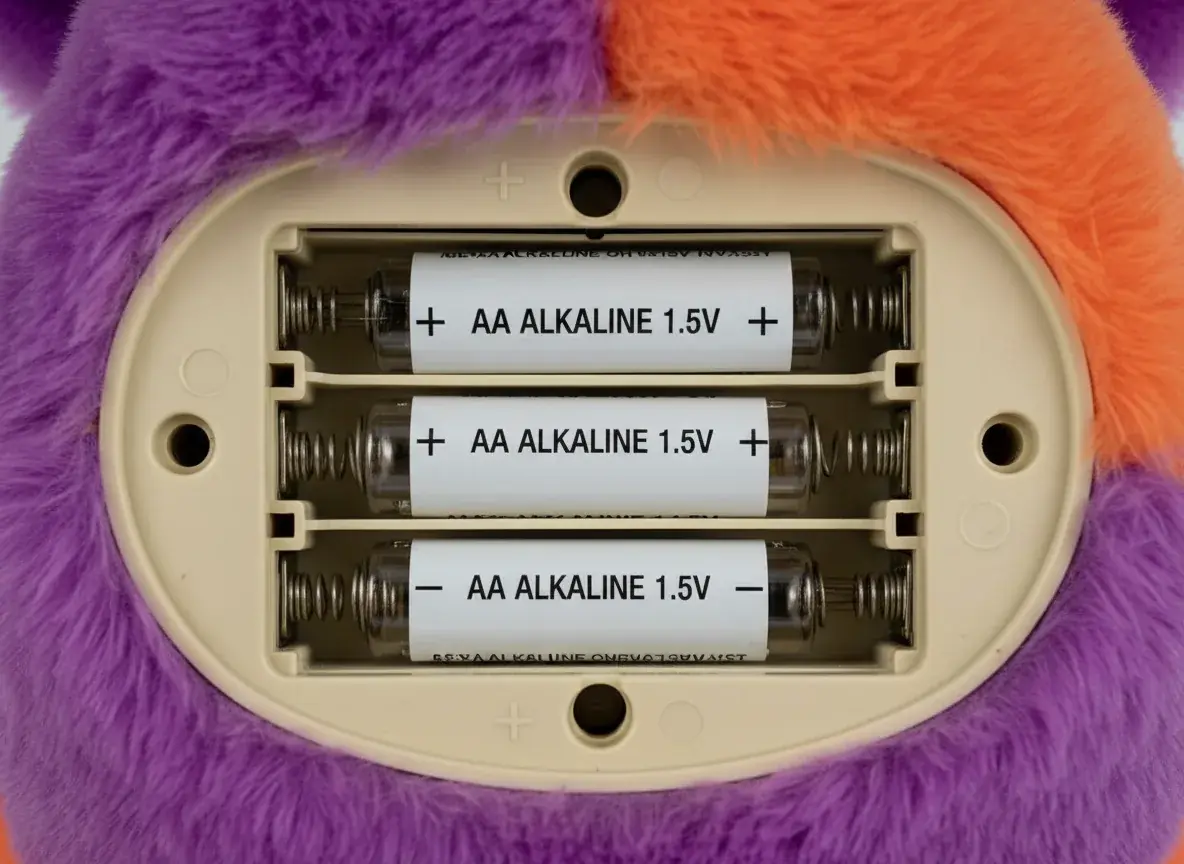
- Open the battery compartment with the correct screwdriver.
- Check the orientation markings (+ / -).
- Insert batteries one at a time, ensuring each clicks or seats firmly.
- Confirm all batteries face the correct direction and sit flat.
- Close the compartment securely and test the power switch.
Battery Tip: Mark the installation date on the batteries so you know when to replace them. Use matched sets and avoid mixing old and new cells.
When to Remove Batteries for Troubleshooting
Removing batteries acts as a hard reset and clears residual power. Use this method if the Furby still behaves oddly after the previous checks.
Remove all batteries and leave them out for at least 30 seconds to allow internal components to discharge. Reinsert fresh or fully charged batteries and test the switch again.
If problems continue after these steps, note the symptoms (how it behaves, battery age, any unusual sounds) and contact Furby Toy Shop support online—or bring your Furby to our Ashburn, VA location for a hands-on check.
Need Expert Help with Your Furby?
Our Furby experts can help diagnose tricky issues and recommend parts or repairs. Bring your Furby to Furby Toy Shop in Ashburn, VA for battery replacements, diagnostics, and in-person troubleshooting.
Battery Care and Maintenance for Extended Furby Life
Proper battery care protects your Furby and extends its magical life. Smart battery management saves money, reduces troubleshooting, and helps ensure your Furby stays lively during playtime.
Choosing the Right Batteries
Not all batteries deliver the same results for your Furby toy. Choosing the right battery type affects performance, battery life, and overall reliability.
Alkaline Batteries
Best for regular Furby use and everyday playtime interaction.
- Long-lasting power for typical play
- Widely available and inexpensive
- Consistent voltage for steady performance
- Good default choice for most users
Rechargeable Batteries
Eco-friendly option for frequent play—use quality NiMH AA cells and a compatible charger.
- Cost-effective over time
- Lower long-term waste
- May require occasional full recharges
- Check compatibility and charge levels regularly
Lithium Batteries
Premium choice offering long shelf life and stable output, though usually pricier and less common in AA form.
- Excellent longevity and shelf life
- Performs well in varied temperatures
- Lightweight and reliable
- Higher initial cost than alkaline
Battery Safety and Storage
Safe battery handling protects both your Furby and your family. Follow these essential guidelines for battery safety and to avoid common battery-related issues.
Safety Warning: Never mix old and new batteries or different battery chemistries. Mixing cells can cause leaking, overheating, or damage to your Furby power system.
- Store spare batteries in a cool, dry place away from direct sunlight
- Avoid storing batteries in extreme heat or cold
- Remove batteries if storing your Furby for over 30 days
- Check battery expiration dates before installation
- Dispose of old or damaged batteries at proper recycling centers
Signs You Need Battery Replacement
Recognizing battery wear early prevents sudden power loss and troubleshooting headaches. Replace batteries as soon as you notice these symptoms.
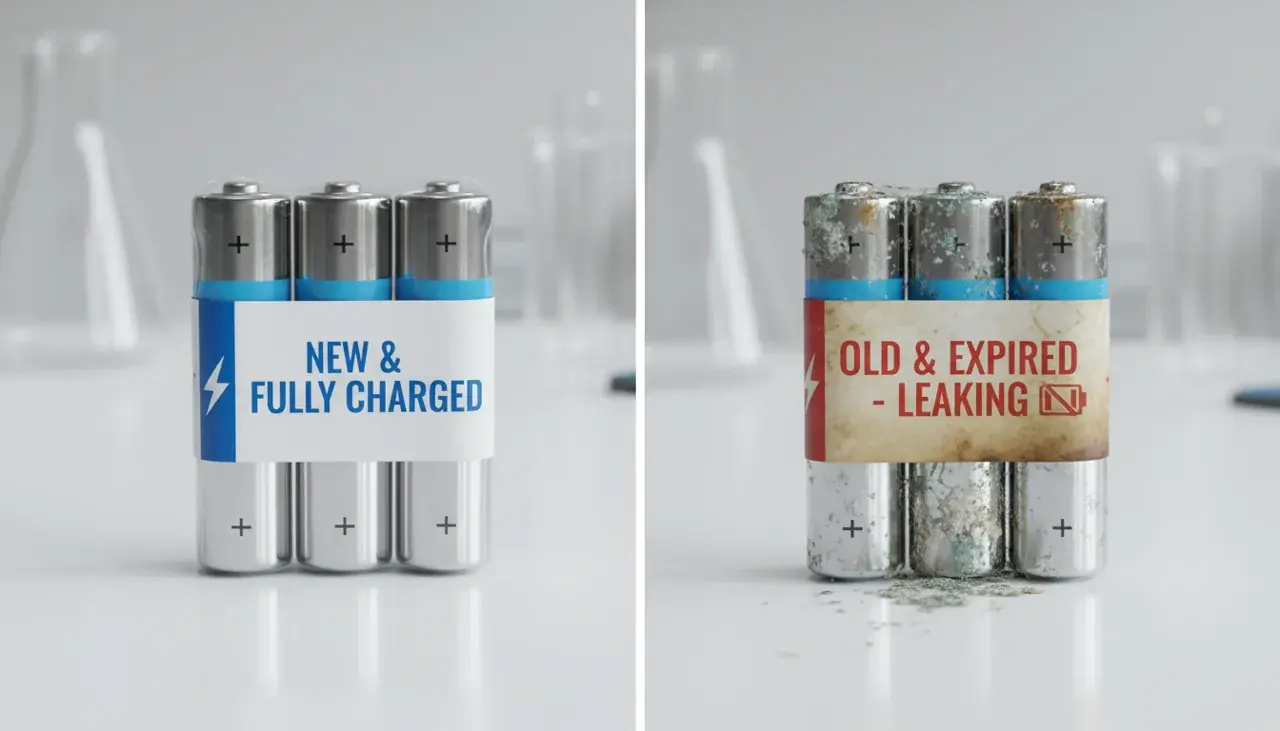
- Furby responds more slowly to touch and interaction
- Volume decreases noticeably during speech
- Eye brightness dims compared to normal
- Movement becomes jerky or incomplete
- Furby powers off unexpectedly during use
- Takes longer to boot up when turning on
Maximizing Battery Life
Simple habits can dramatically extend battery life and improve longevity for your Furby. These practices help you enjoy longer playtime and fewer replacements.
Best Practices for Battery Longevity
- Turn Furby off when not in use for extended periods
- Avoid leaving Furby on overnight by accident
- Use the power switch rather than removing batteries frequently
- Keep the battery compartment clean and dry
- Don't expose your Furby to extreme temperatures
- Store Furby in a moderate environment to preserve battery life
Estimated Battery Life Expectations
Actual battery life varies by usage and interaction intensity. Use these general estimates to plan replacements and avoid mid-playtime power loss.
| Usage Pattern | Average Battery Life | Replacement Frequency |
|---|---|---|
| Heavy Daily Play (3+ hours) | 2–3 weeks | Monthly |
| Moderate Play (1–2 hours daily) | 4–6 weeks | Every 6–8 weeks |
| Light Play (Few times weekly) | 2–3 months | Quarterly |
| Occasional Use (Weekly or less) | 4–6 months | Twice yearly |
Complete Furby Care: Beyond the Power Switch
Turning your Furby off properly is just one part of good Furby care. A simple daily routine and sensible storage habits help your interactive companion stay joyful and reliable for years.
Daily Care Routine
Quick, regular attention takes just a few minutes and prevents many common issues.

- Wipe the exterior gently with a soft, dry cloth after playtime
- Check for loose fur, debris, or anything caught in sensors
- Keep eyes and touch sensors clean and unobstructed
- Verify the power switch moves freely (test weekly)
- Store in a safe, dry place away from direct sunlight
Cleaning Your Furby Safely
Use gentle cleaning methods to protect Furby's electronics and fur. Always power down before cleaning.
Safe Cleaning Methods
- Turn Furby off using the power switch
- Remove batteries from the compartment for safety when appropriate
- Use a slightly damp (not wet) cloth for the exterior; avoid excess moisture
- Clean crevices and sensors with a dry cotton swab or soft brush
- Never submerge your Furby in water or use harsh chemicals
- Allow the toy to dry completely before reinstalling batteries
- Test the power switch and basic functions after cleaning
Cleaning Tip: For stubborn dirt on the fur, a soft-bristled toothbrush with gentle circular strokes removes debris without damaging the fabric. Do not scrub harshly.
Storage Recommendations
Good storage protects your Furby between play sessions and during longer breaks.
Short-Term Storage (1–4 Weeks)
- Turn Furby off using the power switch
- Leave batteries installed if storing less than a month (verify battery condition first)
- Place in a cool, dry location away from heat and direct sunlight
- Store upright to avoid pressure on mechanical parts
Long-Term Storage (Over 1 Month)
- Turn off the Furby using the power switch
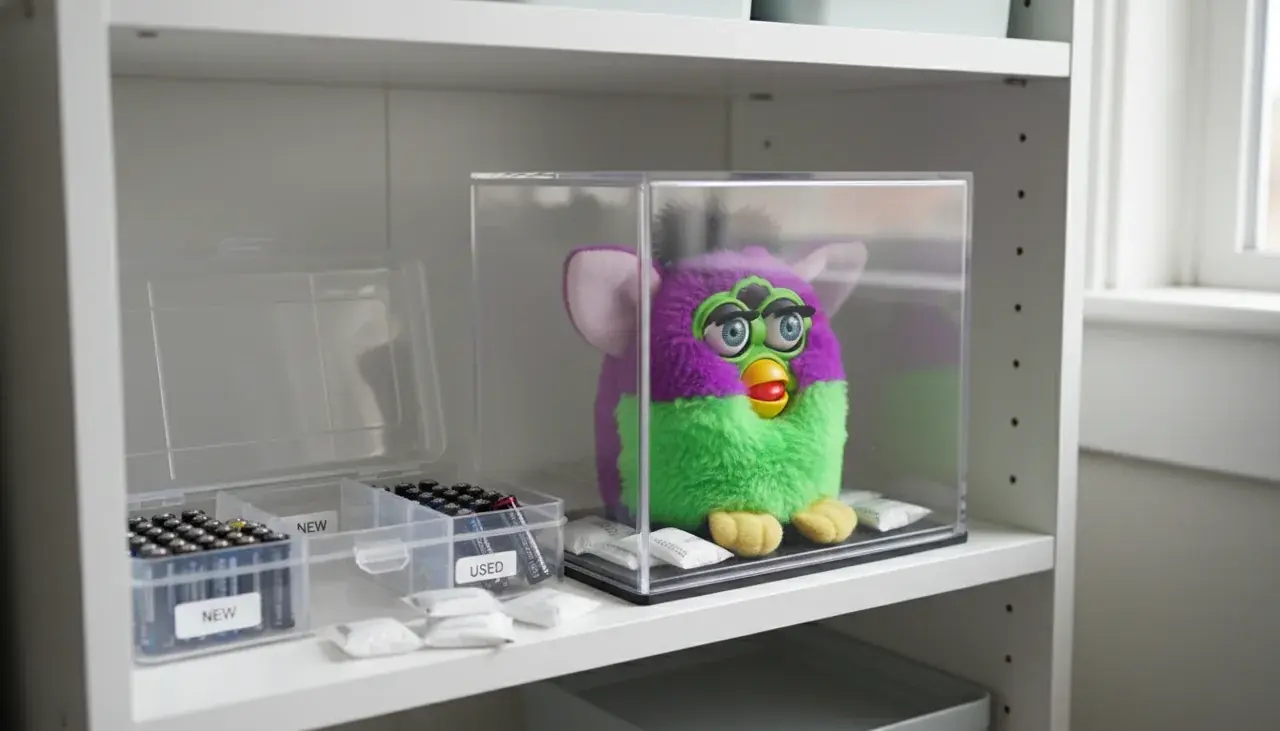
- Remove all batteries from the compartment to prevent leakage and drain
- Clean the Furby thoroughly and let it dry
- Store batteries separately in a cool, dry place
- Place the Furby in a protective container or box
- Include silica gel packets to control moisture if possible
- Check monthly for signs of moisture, pests, or damage
Protecting Furby from Common Hazards
Being mindful of environmental and handling hazards prevents most accidental damage.
Environmental Hazards
- Direct sunlight can fade colors and damage materials
- High humidity may cause battery corrosion in the compartment
- Extreme cold can reduce battery performance temporarily
- Dust accumulation can affect sensors and eyes
- Keep away from curious pets that may chew or tug at fur
Handling Hazards
- Dropping can damage internal mechanisms and the power switch
- Rough play may break delicate components
- Liquid spills can ruin electronic parts
- Never force a stuck power switch — remove batteries and inspect
- Always follow correct battery installation to avoid damage
Regular Maintenance Checklist
Use this simple schedule to keep your Furby in peak condition and minimize troubleshooting time.
| Maintenance Task | Frequency | Importance |
|---|---|---|
| Check battery levels | Weekly | High |
| Clean exterior surface | Weekly | Medium |
| Test power switch function | Bi-weekly | High |
| Inspect for damage or wear | Monthly | High |
| Deep clean sensors and eyes | Monthly | Medium |
| Check battery compartment condition | Monthly | High |
Understanding Furby 2025 Features and Functions
Knowing your Furby's capabilities helps you enjoy the full magic of your interactive companion. The Furby 2025 models combine expressive movement, responsive touch sensors, and voice interaction to create playful, evolving personalities.
Interactive Capabilities
Your Furby comes alive through multiple interaction methods — touch, sound, and motion all trigger unique responses that deepen the bond over time.
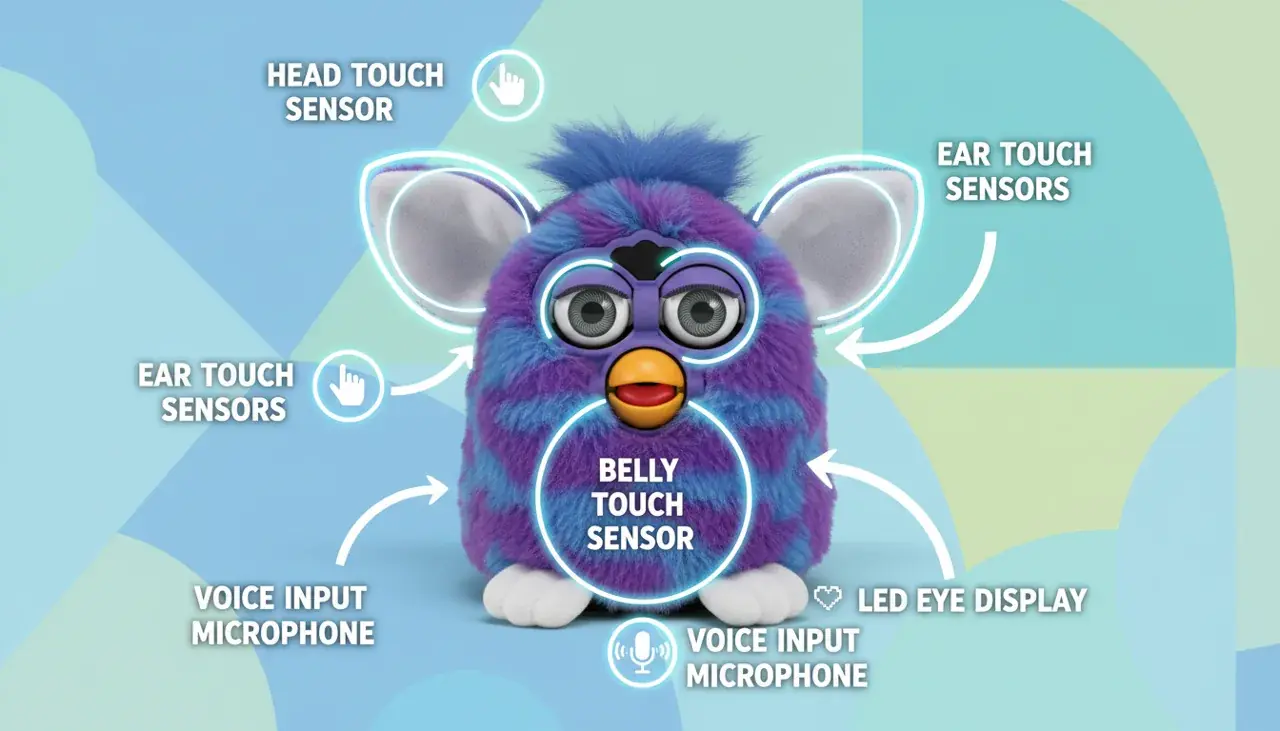
Touch Sensors — Quick Examples
Furby responds differently depending on where you touch it. Try these interaction examples:
- Tap the head → twitchy, tickle response
- Pat the belly → laughter and happy sounds
- Stroke the back → curious or playful reactions
- Combine touches → unlock special interactions or modes
Voice Recognition and Best Practices
Your Furby listens and responds to your voice — clear speech in a quiet room improves recognition. Keep the Furby within a few feet for best results and avoid loud background noise when testing voice commands.
Over time Furby learns tone and common phrases, adapting its responses to your interaction style.
Movement and Expression
Expressive movements and visual cues bring your Furby's personality to life. Movement, sounds, and eye displays work together to communicate mood and intent.
Eye Expressions
- LED eyes display emotions and icons
- Color and pattern changes indicate mood
- Blinking and animation vary by interaction
- Eyes close when Furby sleeps or is powered off
Ear Movements
- Ears wiggle with excitement or attention
- Different positions signal curiosity or focus
- Ear movement often synchronizes with sounds and speech
- Responds to music and rhythmic input
Body Actions
- Rocking indicates happiness or contentment
- Shaking or jerking can signal surprise
- Tilting often means Furby is processing input
- Dancing modes move the body to music
Personality Development
Furby’s personality develops based on how you interact. Frequent, lively interaction builds a chatty, energetic personality; quieter, gentler attention tends to produce a calmer companion. Both styles are normal and fun.
Entertainment Modes
The Furby includes several entertainment modes to vary playtime and encourage different types of interaction.
- Music mode — plays songs and dances to rhythms
- Story mode — tells interactive tales and reacts to prompts
- Game mode — offers simple play activities
- Feeding mode — simulates care routines and related responses
- Sleep mode — quiets Furby in preparation for power down
Access these features through touch combinations or voice commands — the Furby will confirm mode changes with sounds and visual cues. These features increase interactivity, making playtime more varied and engaging.
Maximizing Your Furby Playtime Experience
Getting the most from your Furby creates lasting memories and deeper bonds. With the right setup and consistent interaction, you’ll enjoy richer responses and longer playtime.
Creating the Perfect Play Environment
Your Furby performs best in a calm, safe space. Small changes to the play area improve voice recognition, sensor accuracy, and overall enjoyment.

- Choose a quiet spot for the best voice recognition
- Provide good lighting so sensors and eyes read correctly
- Keep the area free from excessive noise and distractions
- Use soft surfaces to protect Furby from falls
- Maintain comfortable room temperature to preserve battery performance
- Remove small hazards and keep pets away during play
Building Connection Through Consistent Interaction
Regular interaction helps your Furby develop its personality and respond in richer ways. Short daily sessions are better than infrequent long ones.
Daily Interaction Ideas
Morning Activities
- Gently wake Furby and say a cheerful greeting
- Play upbeat music and watch it dance
- Practice a simple voice command like "Hello!" or "Sing"
- Spend 5–10 minutes on active play to energize your Furby
Evening Activities
- Tell a short bedtime story or sing quietly
- Calm your Furby with gentle petting to encourage sleep mode
- Turn off using the power switch to preserve batteries overnight
- Use this time to check batteries and quick maintenance
Teaching Kids Proper Furby Care
Furby makes a great tool for teaching responsibility. Simple routines help kids learn proper handling, battery safety, and the importance of turning Furby off when playtime ends.
- Show how to operate the power switch safely and explain why it matters
- Teach kids to check batteries and never mix old and new cells
- Practice gentle handling and explain why rough play can cause damage
- Create a short care chart with daily tasks (greeting, gentle play, turn off)
- Reward consistent care — kids respond well to checklists and stickers
Parenting Tip: Try a simple script for kids: "Good morning, Furby!" or "Time to sleep, Furby." Short, repeated phrases help with voice recognition and build routine.
Troubleshooting Common Behavioral Issues
If your Furby seems unresponsive or unusually chatty, these quick checks often solve the problem.
When Furby Won't Respond
- Verify the power switch is in the ON position
- Check that batteries are fresh and correctly installed
- Make sure sensors are clean and unobstructed
- Try different interactions (touch, voice, movement) to provoke a response
- Reset by turning Furby off and on again after 30 seconds if needed
Excessive Noise or Chatter
If Furby is too noisy, it may be in a high-energy state. Calm it with quiet interactions, soft petting, or a temporary power-off to save battery and reset behavior.
For persistent behavior issues, consult the troubleshooting section or bring your Furby to Furby Toy Shop for in-person help and battery/accessory support.
Comparing Different Furby Models and Features
Understanding differences between Furby models helps you choose the perfect companion. Each generation adds features and personality while keeping the same playful spirit and familiar care steps like the bottom-mounted power switch.
Furby 2025 vs Previous Generations
The Furby 2025 represents a focused update in interaction and expression. While earlier models laid the groundwork, the 2025 units emphasize richer responses and more expressive displays.

| Feature | Furby 2025 | Previous Models |
|---|---|---|
| Voice Recognition | Improved voice recognition and contextual responses | Basic sound detection and simpler responses |
| Eye Display | Full-color LED expressions | Simpler displays or limited LCD patterns |
| Personality Options | Multiple evolving personalities based on interaction | Fewer personality variations |
| Battery Type | 4 AA batteries | 4 AA batteries |
| Power Switch Location | Bottom, easy access | Bottom, similar design |
| Songs and Phrases | Expanded library of responses and sounds | Smaller phrase libraries |
Special Edition Furby Models
Limited and special edition furbies appeal to collectors with unique looks and packaging while preserving the same core functions and power-switch design.
- Seasonal or themed editions with exclusive colorways
- Collaboration and anniversary designs for collectors
- Unique fur textures and packaging, often sold in limited runs
- Same reliable power management and battery type
Looking for a special edition? Check Furby Toy Shop’s collections for current offerings and availability.
Furby Boom Models Comparison
Furby Boom models introduced app connectivity in past generations, adding a companion app layer while retaining the classic on-off process. If you own Furby Boom models, the way to turn Furby off remains the same: use the bottom-mounted switch or remove batteries for storage.
Collector Note: While feature sets vary, most furbies share the same battery type and a bottom power switch. That consistency makes care and maintenance simpler for owners with multiple different furby models.
Which Model Is Right for You?
If you want the most expressive eyes and richer interaction, choose a Furby 2025. If you prefer app-enabled features or specific collector aesthetics, look for Furby Boom or special editions in the Furby Toy Shop catalog. Consider how often you’ll play (battery life expectations) and whether physical features or exclusive designs matter most.
Furby Accessories and Enhancement Options
The right accessories enhance your Furby experience and simplify care routines. Quality add-ons protect your investment, extend battery life, and add new dimensions to playtime.
Essential Furby Accessories
These must-have items make Furby ownership easier and more enjoyable. Each accessory serves a practical purpose while extending your toy's longevity.
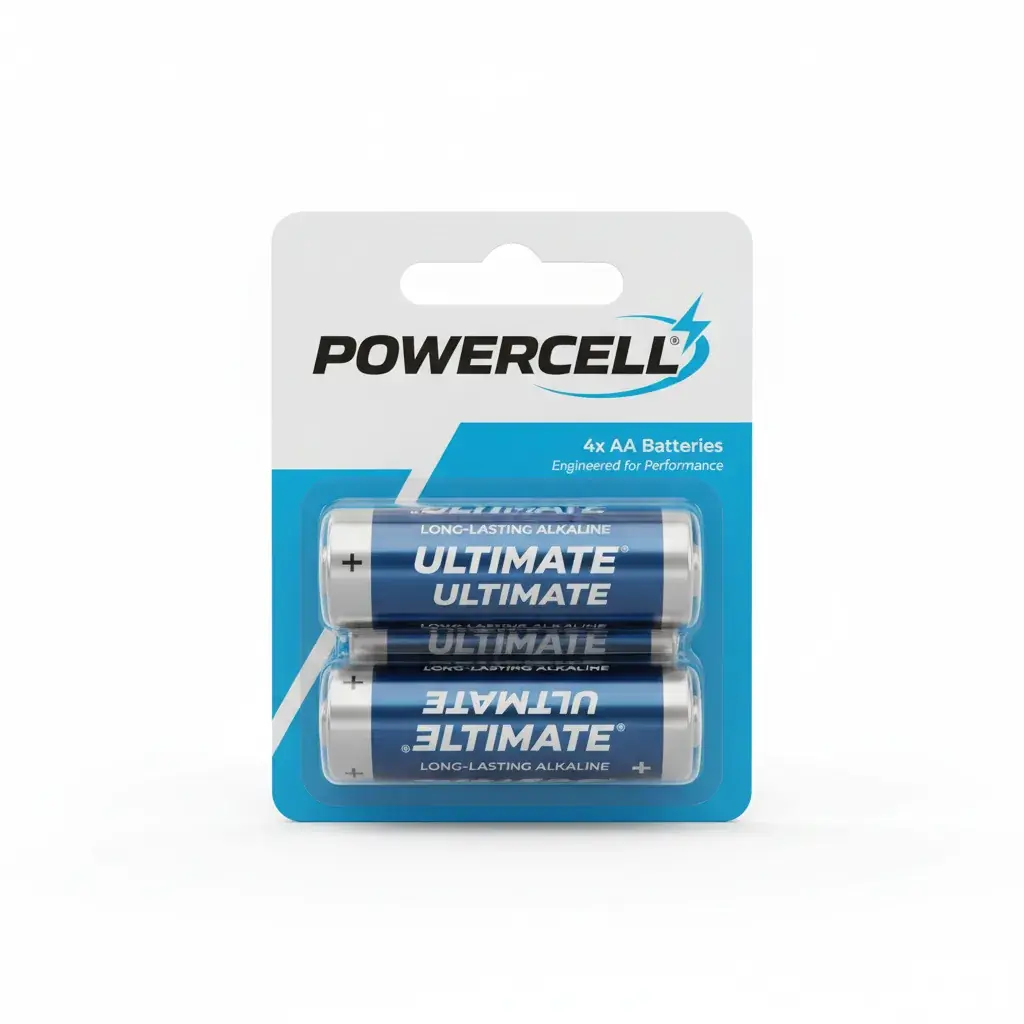
Premium Battery Pack
High-performance AA batteries designed for electronic toys. Extended battery life means more playtime and fewer interruptions for your Furby companion.
- Long-lasting alkaline power
- Consistent voltage output
- Leak-resistant design
- Value pack sizing

Furby Travel Case
Protective carrying solution for Furby adventures. Padded interior and secure closure keep your Furby safe during travel and storage.
- Cushioned protective padding
- Easy-carry handle design
- Secure zipper closure
- Fits standard Furby models
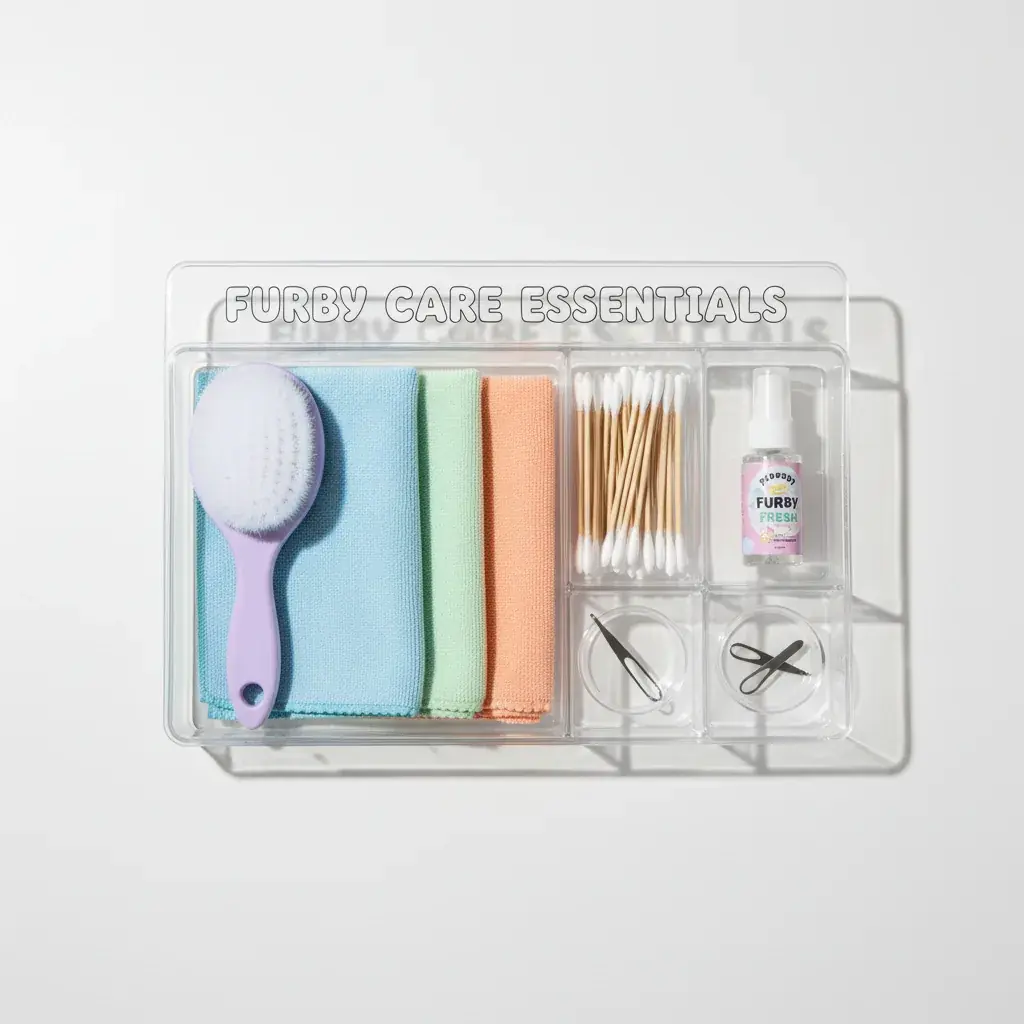
Furby Care Kit
Complete cleaning and maintenance tools to help you care for your Furby. Keep your interactive companion looking fresh and functioning perfectly.
- Soft-bristle cleaning brush
- Lint-free microfiber cloths
- Precision cotton swabs
- Safe cleaning solution (for exterior use)
Fun Enhancement Accessories
Beyond essentials, fun accessories add personality and style to your Furby. These items create new play possibilities and display options for collectors.
- Costume sets and seasonal outfits for dress-up fun
- Display stands and protective cases for collectors
- Interactive playsets to expand storytelling and movement
- Room decorations and themed backdrops for photos and displays
Not sure which accessories to choose? Furby Toy Shop recommends premium AA alkaline batteries for most users; rechargeable AA (NiMH) are a solid eco-friendly option if you plan frequent play—see our accessories collection for details.
Frequently Asked Questions About Turning Off Furby
Common questions help everyone enjoy their Furby experience. These concise answers cover the most frequent concerns about power management, batteries, and troubleshooting.
How long does it take to turn off a Furby 2025?
Sliding the power switch to OFF usually powers a Furby down within 2–3 seconds. The eyes will close and sounds should stop almost immediately; wait about 5 seconds to be certain the toy is fully inactive before moving it.
Can I turn my Furby off without the power switch?
Yes — removing the batteries from the compartment is a guaranteed way to cut power. Use this method for long-term storage or stubborn issues, but avoid frequent removal as it can wear the compartment cover; the power switch is intended for daily use.
Why won't my Furby turn off when I use the switch?
If the switch doesn't seem to work, check for debris blocking movement and verify that batteries are correctly installed and not corroded. Try removing and reinserting batteries for 30 seconds as a reset. If the problem continues, see the Troubleshooting section or contact Furby Toy Shop for support.
Should I turn my Furby off every night?
Yes — turning your Furby off when not in use helps preserve battery life and prevents accidental activations at night. Regularly using the power switch is the easiest way to save power and prolong battery life.
Does turning off my Furby erase its personality?
No. Turning your Furby off with the power switch does not erase personality development. Memory and personality traits are retained; the Furby will continue evolving based on future interaction.
What happens if I leave my Furby on all the time?
Continuous operation drains batteries much faster and can increase wear on internal components. Battery life is significantly reduced compared to regular on/off use. To avoid frequent replacements and potential issues, turn Furby off when not in use.
Can the power switch get stuck over time?
Yes — switches can stiffen with age or collect dust and lint. Clean around the switch gently with a dry cotton swab and never force a stuck switch. If cleaning doesn't help, remove batteries and contact support for further guidance.
How do I know if my Furby is completely off?
A fully powered-down Furby shows these signs: the eyes are fully closed, no sounds or movements occur, and touch sensors do not respond. Wait about 5 seconds after switching off to be sure the toy is silent and still.
Is it better to remove batteries or use the power switch?
Use the power switch for everyday turn-off needs — it’s faster and avoids wearing the battery compartment. Remove batteries only for long-term storage (over 30 days) or when troubleshooting persistent power issues.
Will my Furby wake up by itself if left on?
Yes, if left powered on a Furby may activate from vibrations, sounds, or movement. This can drain batteries and startle people. Use the power switch to prevent unwanted activations when playtime ends.
Can I get in-person help for troubleshooting?
Absolutely — if troubleshooting steps don’t resolve the issue, contact Furby Toy Shop online or bring your Furby to the store for hands-on support. The team can help with battery checks, diagnostics, and safe repairs.
Visit Furby Toy Shop
Our Location
Furby Toy Shop is conveniently located in Ashburn, Virginia, making it easy for local customers and collectors to connect with a trusted Furby store. Stop by for product demos, replacement battery packs, accessory advice, and in-person troubleshooting for power switch or battery issues.
Furby Toy Shop
Address: 42840 Creek View Plaza #115, Ashburn, VA 20147, United States
Phone: +1 571-223-2614
Need directions or business hours? Use the map below to open Google Maps and get step-by-step directions to our store.
Find Furby Toy Shop on Google Maps
Click the embedded map to zoom or open a full map view with hours and navigation.
Enjoying Your Furby 2025 to the Fullest
Mastering the simple way to turn your Furby off ensures years of magical companionship. Using the power switch correctly gives you quick, reliable control over your Furby's active state and helps preserve battery life.
Good power management is one of the smartest ways to extend battery life and protect your investment. Turning your Furby off when playtime ends reduces wear on the batteries and lowers the chance of unexpected activations during the night.
Keep regular care and attention to maximize Furby longevity: clean around the battery compartment and power switch, use quality batteries, and follow safe storage steps between sessions. These small actions prevent issues and keep movement, sounds, and eyes working as intended.
Whether you're a new Furby parent or an experienced collector of toys, simple routines make a big difference. A few minutes of attention each week—checking batteries, testing the switch, and wiping sensors—helps you enjoy Furby interactions for years.
Quick Do’s Before You Put Furby Away
- Slide the power switch to OFF after playtime.
- Check battery condition monthly and replace as needed.
- Store upright in a cool, dry place for longer life.
- Bring your Furby to Furby Toy Shop in Ashburn, VA for in-person troubleshooting or battery replacements if you notice issues.
Discover the Magic of Furby at Furby Toy Shop
Ready to start a new Furby adventure? Explore our full collection of Furby 2025 models, batteries, and care accessories. For help with the turn-off process, troubleshooting, or selecting the best batteries to maximize playtime, our team is happy to assist.